Electric Fan Motor Repair: A Practical Guide for Homeowners
Learn to diagnose and repair common electric fan motor problems with a safe, step-by-step guide. From capacitor checks to bearing lubrication, empower DIY homeowners with practical, cost-effective fixes.


With this guide, you will diagnose and repair common electric fan motor problems, including faulty capacitors, bearing wear, and improper wiring. You’ll perform safe power-down checks, test electrical components, replace worn parts, and reassemble for a reliable, quiet fan. The approach emphasizes safety, proper diagnosis, and cost-effective fixes you can do at home.
How an electric fan motor works
An electric fan motor converts electrical energy into rotational motion that drives the propeller. Most household fans use either a shaded-pole design (older, simple) or a permanent-split capacitor (PSC) design (common in modern fans). According to Home Repair Guide, a basic understanding of these designs helps you diagnose noise, warm running, or reduced airflow more precisely. The core components include the stator, rotor, windings, bearings, and, in PSC models, a run capacitor that starts and sustains the rotation. When something goes wrong—capacitor failure, worn bearings, or loose windings—the motor can overheat or stall, affecting airflow and efficiency. Recognizing symptoms early saves time and money and guides safe repairs. This foundation supports practical troubleshooting and repair decisions.
Common motor problems and causes
Fan motors fail for a few predictable reasons. Capacitors can degrade, especially after heat exposure, causing weak starts or intermittent operation. Bearings wear over time, producing grindy noises or wobble that reduces efficiency and increases belt wear. Windings can overheat or burn out from overuse or poor ventilation, leading to reduced torque or complete stalls. In some cases, loose wiring or a frayed cord causes intermittent power loss. Understanding these failure modes helps you choose when to repair, replace components, or retire the unit.
Safety considerations before you begin
Before you touch any fan, unplug it from power and, if possible, unplug the circuit breaker for the outlet. If the fan has a high-voltage capacitor, discharge it safely using a resistor or a capacitor discharge tool. Wear eye protection and insulated gloves when handling live parts, especially if you plan to test resistance or operate the unit during inspection. Keep the work area dry and organized to avoid slips. Home Repair Guide Analysis, 2026, emphasizes safety as the cornerstone of any repair project.
Diagnosing with basic tests
Start with careful visual inspection of the capacitor, wires, and bearings. Look for swelling or leakage in the capacitor and signs of burnt wiring. With the power off, use a multimeter to check continuity in the motor windings and verify there is no short to ground. If you cannot access a capacitor tester, consider replacing the capacitor as a precaution. If the rotor spins smoothly by hand but the fan still fails to start, the problem may lie with the start device or windings.
Repair options: when to replace vs repair parts
Repairing an electric fan motor can involve replacing few key parts rather than the entire unit. A faulty run capacitor or worn bearings are common targets for inexpensive fixes. If testing reveals winding damage, or if the motor overheats even after capacitor and bearing replacement, replacement of the motor or fan assembly may be the more reliable option. In outdoor or ceiling fans, corrosion exposure may drive replacement decisions sooner than later. Consider the overall condition, safety, and your skill level when choosing repair versus replacement.
Maintenance to extend motor life
Regular maintenance reduces the likelihood of sudden motor failures. Clean debris from the housing and blades, ensure proper ventilation around the motor, and lubricate bearings as recommended by the manufacturer. Check electrical connections for looseness and replace worn wires before they fail. Establish a simple maintenance schedule—visual checks every 3–6 months and a full inspection annually—to maximize lifespan and performance. This proactive approach aligns with best practices from Home Repair Guide and helps homeowners stay ahead of costly repairs.
AUTHORITY SOURCES
For authoritative guidance, refer to safety and mechanical standards from recognized sources. See Department of Energy resources on electric motor efficiency and reliability, OSHA safety guidelines for electrical work, and Britannica’s overview of electric motors for foundational understanding. These sources underpin practical advice and safe repair practices.
Tools & Materials
- Phillips screwdriver(Medium-size Phillips head for grille screws)
- Flathead screwdriver(For prying or slot screws and slight prying safety)
- Multimeter(Test continuity, resistance, and capacitor health)
- Capacitor tester or ESR meter (optional)(Helpful for confirming capacitor condition)
- Replacement run capacitor(Match the original capacitance and voltage rating)
- Bearing oil or lithium grease(Use manufacturer-recommended lubricant)
- Screw organizers or magnetic tray(Keep fasteners sorted during disassembly)
- Nut driver set(If your fan uses nuts on mounts or frame)
- Safety gear: insulated gloves, safety glasses(Protect against electrical hazards and debris)
Steps
Estimated time: 60-120 minutes
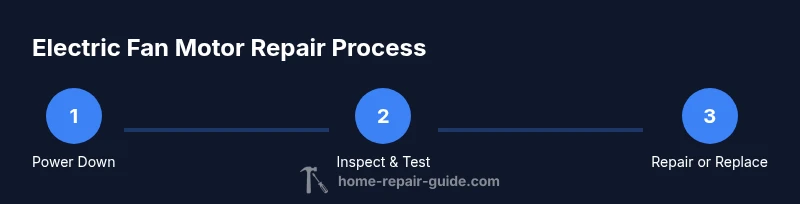
- 1
Power down and access the motor
Unplug the fan from the outlet and, if applicable, switch off the circuit breaker. Remove the grille or guard to access the motor housing. This initial step ensures your safety and provides a clear view of the internal components.
Tip: Never work on live wiring—double-check outlet with a tester before touching any metal parts. - 2
Inspect the exterior and obvious components
Visually inspect the capacitor for signs of swelling or leaks, check the wiring for wear, and examine the bearings by rotating the rotor by hand. Note any grinding sounds or uneven rotation.
Tip: Take photos during disassembly to help with reassembly. - 3
Test electrical continuity and capacitor health
With the power still off, use a multimeter to check winding continuity and resistance against the manufacturer’s specs. If you suspect a bad capacitor and you don’t have a tester, you can safely substitute a known-good capacitor for a quick sanity check.
Tip: If uncertain about capacitor ratings, replace rather than reuse an uncertain part. - 4
Evaluate bearings and lubrication needs
Spin the rotor by hand to listen for roughness or play. If there is noticeable stiffness or grinding, lubricate or replace the bearings according to the model’s guidance. Clean old lubricant and reapply fresh grease.
Tip: Avoid over-lubricating—excess grease can attract dust and cause overheating. - 5
Decide on repair vs replacement
If a single component (capacitor or bearings) fixes the issue, proceed with replacement and re-test. If windings are burnt or insulation shows damage, consider motor replacement for safety and reliability.
Tip: Weigh the cost and safety risk; replacement is often the safer long-term option for severe winding damage. - 6
Reassemble and perform a test run
Reconnect all covers and guards, plug in the fan, and run at low speed to observe starting, stopping, and noise. Check for abnormal heat or vibration and adjust if needed.
Tip: Keep a close watch during the first minutes of operation to catch early faults.
FAQ
What are the most common signs my electric fan motor needs repair?
Common signs include a motor that hums but won’t start, unusual noises such as grinding or squealing, reduced airflow, or excessive heat after a short run. Inspect capacitors, bearings, and windings and test with a multimeter to confirm the fault before replacing parts.
If your fan hums but won’t start or gets unusually hot, check the capacitor and bearings before replacing the motor.
Can I replace just the capacitor, or do I need a new motor?
In many cases, a failing run capacitor is the easiest fix and can restore starting torque. If windings are damaged or the capacitor replacement doesn’t restore function, you may need a motor replacement for reliability.
Often the capacitor is the culprit; if that doesn’t fix it, a motor replacement may be the safer long-term option.
Is electric fan motor repair safe for outdoor ceiling fans?
Outdoor fans expose components to weather, which accelerates wear. If you lack weatherproofing or corrosion resistance, weigh replacement over repair and ensure all connections are sealed and rated for outdoor use.
Outdoor fans need extra weatherproofing; consider replacement if corrosion is significant.
What quick signs indicate windings are damaged?
Signs include persistent overheating, a strong burnt smell, visible insulation damage, or intermittent operation that doesn’t respond to capacitor or bearing fixes.
Burning smells or overheating are strong indicators of winding damage.
How long should a repaired motor last?
Lifespan varies with usage, environment, and prior wear. A well-executed repair with quality parts can extend service life by months to years, but plan for eventual replacement if high-use conditions persist.
A properly repaired motor can last for a substantial period, but high-use fans may still need future maintenance.
Should I attempt motor repair on antique or high-value fans?
For high-value or antique fans, seek a professional assessment. Repairs can affect value and safety, so weigh the benefits against the cost and the feasibility of sourcing authentic parts.
If it’s valuable, get an expert opinion to protect its worth and safety.
Watch Video
Key Takeaways
- Identify the motor design (PSC or shaded-pole) to guide repairs
- Replace worn capacitors and bearings before windings fail
- Always unplug and verify safety before testing
- Choose repair vs replacement based on component damage and safety risk