Repair Microwave: Safe Step-by-Step Troubleshooting Guide
Learn to diagnose and safely repair common microwave problems with a practical, step-by-step guide from Home Repair Guide. Build confidence with safety-first checks and practical fixes.


With practical, safe instructions, you’ll learn to diagnose common microwave faults and decide whether you can fix them at home. This guide covers unplugging, safety checks, basic diagnostics, and when to call a pro. According to Home Repair Guide, most fixes involve door switches, fuses, or diode checks, all achievable with care and proper precautions.
Common Microwave Faults and Causes
Microwave ovens are surprisingly simple yet require careful attention when they fail. The most frequent culprits aren’t exotic parts but everyday wear and wiring quirks. In our experience at Home Repair Guide, patterns emerge: door interlocks that won’t engage, high-voltage diodes that fail, blown fuses, and capacitor issues that lead to no power or intermittent operation. The Home Repair Guide Analysis, 2026 notes that door switches and diodes are among the most common failure points in residential units, followed by fuse-related faults and control-board glitches. By understanding these common causes, you can approach diagnosis in a structured way, avoiding unnecessary parts replacements and unsafe battery of tests. Keep a calm mindset, document observations, and progress from low-risk checks to more involved inspections. This approach also helps you decide when a repair is practical versus when replacement is the smarter financial choice.
Safety First: Is It Safe to DIY a Microwave?
Safety must come before any repair work. A microwave contains high-voltage components that can cause serious shock or burns even when unplugged. Never work on the device with the cover removed unless you have explicit training and the right protective equipment. Always unplug the unit and discharge any stored energy in capacitors before touching internal parts. If you smell burning, hear buzzing, or notice arcing, stop immediately and seek professional help. The risk is not worth a casual fix. This is not just about personal safety; improper handling can damage surrounding cabinetry or start a fire. Follow the safety script: power off, unplug, and verify there’s no residual energy present before proceeding with any inspection or testing.
Tools, Safety Gear, and Prep
Preparation reduces accidents and speeds up the diagnostic process. Before you begin, set up a clean workspace, gather the right tools, and put on appropriate safety gear. You’ll want insulated gloves, safety glasses, a non-conductive pry tool, a digital multimeter, and a basic screwdriver set. Use a flashlight to illuminate internal components and keep a small container for screws. Have a written plan and a schematic or service manual if possible. If you don’t have a schematic, label connectors as you disconnect them to avoid miswiring during reassembly. Clear clues will emerge from a calm, methodical approach, and you’ll reduce the chance of accidentally damaging the magnetron, capacitor, or control board.
Diagnostic Workflow: How to Identify the Fault
Start with non-invasive checks and progress to targeted tests. Confirm the outlet has power and the unit responds to basic commands. Inspect the door interlock and latch mechanism for fatigue or misalignment; these are common causes of non-start or intermittent operation. If the unit powers but won’t heat, test the fuse, diode, and capacitor with a multimeter according to the schematic. Look for burnt smells, visible scorching, or melted insulation around connectors. Electrical faults can be intermittent; note when symptoms occur (during startup, during heating, or after a short run) to narrow down the culprit. Document findings in a notebook to track what has been checked and what remains uncertain.
Common Fixes You Can Safely Try (Non-Destructive)
Some fixes are straightforward and non-destructive, especially when you can identify a mechanical or electrical weak point without disassembly. Begin with the door switch: ensure it depresses properly and test its continuity with a multimeter when the door is closed and opened. Check for loose connectors on the control board and reseat them; loose connections can create intermittent power delivery. If you find a visibly damaged fuse or diode, replace only with the exact same part number; never substitute a random component. Keep the interior dry and dust-free; moisture or spills can create arc paths and degrade performance. If you are comfortable, clean the latch area, verify that the turntable rotates freely, and inspect the interior for signs of wear or debris that could block essential movement. Always revert to a safety-first mindset; if anything feels risky, stop and consult a pro.
When to Replace vs When to Call a Pro
Repairing a microwave is often cost-effective for minor faults, but there are clear break-even signs where replacement makes more sense. If the appliance is older, the control board or magnetron shows signs of multiple failures, or the repair cost approaches the price of a new unit, replacement may be the smarter choice. Consider warranty coverage, energy efficiency, and the availability of replacement parts. Also reflect on whether the professional repair would restore reliability to a level that meets your needs. If in doubt, seek a professional opinion; sometimes a second set of eyes can save time and money in the long run.
Tools & Materials
- Screwdriver set (Phillips and flathead)(Wide blade and small precision bits; magnetized tip helps)
- Multimeter (digital, with continuity test)(Set to resistance or continuity; unplug microwave before use)
- Insulated gloves(Grade II or higher; non-slip grip)
- Safety glasses(Protect eyes from metal shards)
- Non-conductive pry tools(Plastic tools to avoid panel damage)
- Replacement fuses or diodes (as needed)(Only after testing; avoid guessing)
- Voltage tester(To verify power is off before touching components)
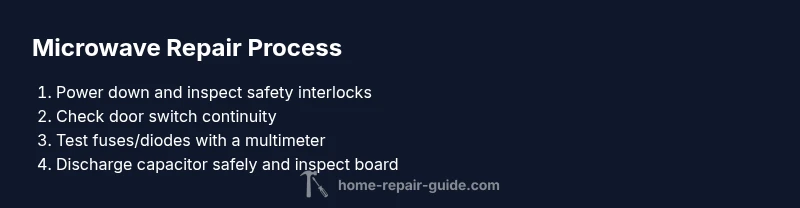
Steps
Estimated time: 60-120 minutes
- 1
Power down and unplug the microwave
Always start by removing power. Unplug the unit, then press and hold the start button for a few seconds to discharge residuals. Wait 60 seconds before opening the housing to reduce the risk of shock.
Tip: Discharge any stored energy in the capacitor by waiting or tapping a non-contact tester away from yourself. - 2
Remove outer access panel safely
Carefully remove screws holding the access panel to reveal internal components. Do not touch exposed metal edges; keep one hand in your pocket to reduce risk of shock.
Tip: Use a magnetic screwdriver and keep track of screws in labeled containers. - 3
Inspect the door switch and latch
The door switch is a common failure point. With power off, press the door switch plunger and listen for a click while a multimeter tests continuity when depressed and released.
Tip: If the switch shows open circuit in both states, replace it. - 4
Check the thermal fuse and high‑voltage diode
Inspect visible fuses for discoloration or burn marks. Use a multimeter to test diode continuity per the manufacturer’s schematic. Replace if open or shorted; do not reuse damaged parts.
Tip: Diodes can fail short and allow current; test in-circuit only if the schematic permits. - 5
Discharge and inspect the high-voltage capacitor
Large capacitors can hold dangerous charge even after unplugging. If you're not trained, skip discharging yourself and seek a pro. If you proceed, carefully discharge following official guidelines.
Tip: Never bypass the safety interlocks or attempt to short the capacitor with metal tools. - 6
reseat connectors and inspect the control board
Check for loose connectors, burnt smells, or signs of water ingress on the control board. Re-seat all connectors and look for broken solder joints.
Tip: Power off before removing or re seating connectors; use minimal force. - 7
Reassemble and perform a cautious test run
Reattach the panel, plug in, and test with a small load (a cup of water) for 15–20 seconds at low power. Listen for unusual noises and smell for burnt plastic.
Tip: If the microwave heats unevenly or shuts off, stop testing and reevaluate or seek professional help. - 8
Decide whether to continue or replace
If the fault recurs after initial checks, it may be more economical or safer to replace the unit or consult a pro for board-level repair.
Tip: Consider total cost, safety, and warranty coverage before proceeding.
FAQ
Is it safe to repair a microwave by myself?
DIY repairs can be safe for basic, non‑high-voltage tasks if you follow strict safety steps: unplug, avoid touching the magnetron, and test only when you have the right tools and a wiring diagram. If you encounter high‑voltage components or uncertain results, stop and seek professional help.
DIY repairs are possible for basic checks if you stay unplugged and avoid high voltage parts. If unsure, consult a professional.
What should I do first if the microwave won’t turn on?
First, confirm the outlet has power, the plug is firmly connected, and the child lock isn’t active. If power is present but the unit doesn’t respond, proceed with a safety check of door interlocks and the control board.
Check the outlet and door lock; if power is fine but the microwave won’t start, proceed with a safety inspection.
Why does my microwave heat food unevenly?
Uneven heating often results from turntable issues or magnetron power fluctuations. Ensure the turntable rotates freely and the food is evenly distributed; if the issue persists, it may indicate a magnetron or control board fault.
Check the turntable and power fluctuations; persistent uneven heating may require a pro.
Can I replace a microwave fuse myself?
Replacing a fuse is possible only if you correctly identify the fault and use the exact replacement part. If you’re unsure or the fuse keeps blowing, stop and have the unit inspected by a professional.
Fuse replacement should be done only with the right part and proper safety steps.
How long do microwaves typically last and is repair worth it?
Microwaves typically last several years, but costs for board repair can approach replacement. Weigh the repair cost, equipment reliability, and warranty status to decide whether repair or replacement offers better value.
Consider cost, reliability, and warranty when deciding whether to repair or replace.
What parts are commonly replaced in a microwave?
Commonly replaced parts include door switches, fuses, diodes, and capacitors. For more complex faults, professional diagnosis is recommended to avoid damaging the control board or magnetron.
Door switches, fuses, diodes, and capacitors are frequent replacements.
Watch Video
Key Takeaways
- Unplug before opening and discharge stored energy
- Door switches and diodes are common failure points
- Use proper safety gear and follow a safe step-by-step plan
- Call a pro if high-voltage components are involved or issues persist