Garage Door Sensor Repair: Step-by-Step Guide
Learn safe, practical garage door sensor repair with a clear, step-by-step approach. Diagnose misalignment, clean lenses, test wiring, and know when to replace sensors. A comprehensive Home Repair Guide tutorial.


With garage door sensor repair, you’ll restore safe, automatic operation and stop false obstructions from triggering. This quick guide identifies common sensor problems, explains how to test alignment and wiring, and outlines simple steps you can perform using basic tools. You’ll learn when to reset, clean the sensor eyes, or replace a faulty unit, saving time and money.
Why garage door sensor reliability matters
Garage door sensors are critical safety devices that prevent the door from closing on people, pets, or objects. When a sensor malfunctions, the door may reverse unexpectedly, fail to reverse when it should, or refuse to operate, leading to potential injuries or property damage. Reliable sensor performance ensures the automatic reversing mechanism works as intended and reduces the risk of injury. According to Home Repair Guide, most sensor issues come from misalignment, dirty lenses, or loose wiring rather than a failed control board. By understanding how these components interact with the door operator, you can diagnose the root cause and choose a fix that’s safe and durable. This guide focuses on do-it-yourself repairs you can perform with basic tools, plus when to bring in a pro. A systematic approach saves time, preserves hardware, and keeps your family safe.
Common problems and symptoms
Most garage door sensor problems show up as stubborn door behavior rather than a loud mechanical failure. Common symptoms include the opener stopping short of closing, the safety light flickering, or the door reversing before touching anything. Misalignment is a frequent culprit: the infrared beams must be parallel and aimed at the small LED eyes on each side. Dirty or obstructed lenses create false readings; even a fingerprint or spider web can block the beam. Loose or corroded connectors at the color-coded wires can break the circuit, causing intermittent operation. If one sensor is physically damaged or water enters the housing, performance will deteriorate quickly. These issues are typically easy to fix with careful inspection and some adjustment, rather than a complete sensor replacement. Home Repair Guide's analysis shows that addressing alignment and cleaning resolves the vast majority of incidents.
Safety considerations before you begin
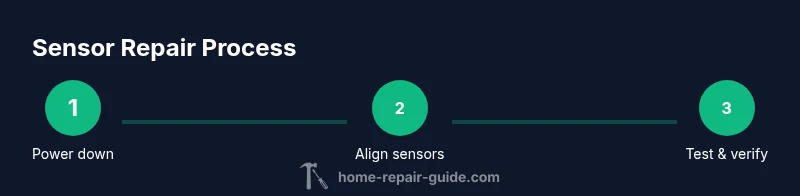
Working with a garage door system involves moving parts, electricity, and heavy hardware. Before you touch any sensor, power down the opener and unplug the unit from the outlet. If you cannot unplug directly, switch off the circuit at the breaker and confirm there is no power at the opener's control panel with a non-contact tester. Never place hands or tools in the path of the door as you test or adjust. Use a stable ladder and have a helper watch the door's movement. Wear eye protection and avoid touching sensor lenses with bare fingers, which can leave oils that affect performance. By taking these precautions, you reduce the risk of injury and accidental door movement during alignment or replacement. This upfront safety check is essential for a durable, long-lasting repair.
Diagnostics overview: identifying the root cause
A structured diagnostic approach helps you separate sensor issues from other components in the garage door system. Start by verifying power to the opener, then test each sensor independently using the door's manual test mode and the built-in light indicators. Compare the LED status with the user manual: a steady green often means proper alignment, while a flicker or red light signals misalignment or fault. Next, observe the door as it approaches the sensor line; if the door closes fully when you cover one sensor, you might have a misalignment on the opposite side. Finally, inspect the wiring harness for loose connectors, damaged insulation, or corrosion at the terminal screws. A careful, methodical check helps you avoid unnecessary replacements and confirms whether the sensor unit itself is defective.
Cleaning and alignment fixes
Even a small amount of dust, spider silk, or smudges on the sensor lenses can create false readings. Start by powering off the system and cleaning the photo eye lenses with a soft, lint-free cloth lightly dampened with isopropyl alcohol. Wipe in a circular motion and let dry before testing. Realign the sensors so their lenses face each other about 6 inches apart, using the built-in alignment markers or a small level to keep the beams parallel. Recheck the mounting hardware to ensure there is no sag, tilt, or wobble that could throw off alignment over time. After making adjustments, perform a test by closing the door from the remote and observing that the door doesn't stop early or reverse unexpectedly. These steps often restore reliable operation without parts replacement.
Replacing a faulty sensor unit
If cleaning and realignment do not fix the problem, you may need to replace one or both photo-eye sensors. Begin by confirming compatibility with your door opener model and purchasing a matching pair or the recommended replacement. Disconnect power, remove the sensor mount screws, and gently detach the sensor from its bracket. Install the new sensor, thread the wiring through the mounting plate, and reattach the screws snugly without overtightening. Revisit alignment as described earlier and perform a control test with the door opener. After replacement, inspect the solder joints or wire crimps for signs of damage and ensure weatherproof seals are intact. Properly installed sensors should show consistent light indicators and reliable door operation.
Wiring checks and safe connections
Inspect the wiring harness leading to the sensors for signs of wear or frayed insulation. Ensure the connectors are fully seated and that color-coded wires match the manual's diagram. If your system uses a plug-in receiver, verify the plug is secure and there are no bent pins. Use a digital multimeter to test continuity if you suspect the lead is open, and check for voltage at the sensor input when the door is closed. Never twist or cut wires in a way that could compromise the safety circuit. If you find corrosion on terminals, clean with a small amount of contact cleaner and re-tighten to manufacturer torque specifications. Safe, solid wiring is the backbone of long-lasting sensor performance.
Maintenance and prevention tips
Set a simple quarterly or semi-annual maintenance routine to extend sensor life: wipe lenses, inspect mounting hardware for tightness, and test the auto-reverse function using a safe test object (e.g., a cardboard box). Keep sensors free of dust, debris, and cobwebs by vacuuming the sensor area gently. Replace aging connectors or brittle wires before they fail, and consider sealing the sensor housing against moisture if your garage is prone to dampness. Document any changes and keep a small toolkit handy for quick checks. Regular attention reduces the chance of sudden sensor failure and keeps the door functioning smoothly.
Quick troubleshooting reference
| Symptom | Likely cause | Fix | |---|---|---| | Door reverses before contact | Sensor misalignment or dirty lens | Realign and clean lenses, then retest with the test object | | Door stops mid-journey | Obstruction in beam path | Move objects away and recheck alignment | | Indicator light shows fault | Wiring issue or damaged sensor | Inspect wiring and replace damaged parts | | Door won’t auto-reverse | Safety circuit failure | Verify power, test with manual override, consider sensor replacement |
If in doubt, consult a pro. These checks cover the most common scenarios and help you decide when professional help is warranted.
Tools & Materials
- Flathead screwdriver(Medium-sized (6-8 inch) for mounting screws)
- Phillips screwdriver(For bracket and cover screws)
- Soft lint-free cloth(For lens cleaning)
- Isopropyl alcohol(Dampen cloth; avoid applying directly to sensors)
- Non-contact voltage tester(Verify power at the opener before touching electronics)
- Digital multimeter(For continuity/voltage checks in wiring)
- Step ladder(Stable platform, non-slip feet)
- Replacement photo-eye sensors(Only if you confirm compatibility with your model)
Steps
Estimated time: 30-60 minutes
- 1
Power down and prep
Shut off power to the door opener and unplug from the outlet. If accessible, switch off the circuit at the breaker. Remove any loose accessories that could snag during testing.
Tip: Take a photo of wiring before disconnecting to aid reassembly. - 2
Inspect sensor alignment
Visually inspect both photo-eye sensors to see if they are level and facing each other. Look for bent brackets or misaligned mounting hardware that could shift over time.
Tip: Use a small level or the mounting marks as a reference point. - 3
Clean sensor lenses
Wipe each lens with a soft cloth lightly dampened with isopropyl alcohol. Dry with a clean section of the cloth and ensure no streaks remain.
Tip: Avoid scrubbing hard; lens surfaces are delicate and specular reflections can impair readings. - 4
Realign sensors
If misaligned, adjust brackets so the beams face each other directly with about 6 inches between lenses. Re-secure all screws without overtightening.
Tip: Retest the beam by blocking one sensor and watching the opposite light pattern. - 5
Test door function
With power restored, use the remote to close the door slowly and observe whether it stops and reverses appropriately or continues past the beam line.
Tip: Use a safe object (e.g., cardboard) to simulate obstructions during testing. - 6
Replace if needed
If misalignment and cleaning don’t fix the issue, replace the faulty sensor(s) following the manufacturer’s instructions and re-test.
Tip: Confirm model compatibility before purchasing replacement units.
FAQ
What causes garage door sensors to misalign?
Misalignment is typically caused by bumped brackets, loose mounting screws, or structural settling. Re-align the sensors using the marks and verify parallel orientation.
Misalignment usually comes from bumped brackets or loose screws. Realign carefully and test.
Is it safe to bypass sensors to close the door?
No. Bypassing safety sensors can create serious injury risks and is not recommended by manufacturers. Use proper testing and repair instead.
No, you should not bypass the sensors. Fix them to keep the door safe.
Can I replace sensors myself?
Yes, with careful adherence to the model’s instructions and proper safety precautions. Ensure compatibility and follow wiring diagrams when replacing.
Yes, you can replace them yourself if you follow the manual and stay safe.
How do I test sensors after repair?
Restore power, run a controlled close with a safe obstruction, and confirm the door auto-reverses. Verify both sensors illuminate or indicate correctly.
Power on, test with a safe object, and confirm auto-reverse works.
What tools do I need for sensor repair?
Basic hand tools, a ladder, a soft cloth, isopropyl alcohol, and a multimeter if you test wiring. Replacement sensors are needed only if testing shows a failed unit.
Common tools plus replacement sensors if needed.
Why does the indicator light blink on the sensor?
A blinking LED typically signals a fault or misalignment. Re-check alignment, clean lenses, and inspect wiring before replacing.
Blinking means fault or misalignment; re-check first.
Watch Video
Key Takeaways
- Power off before any sensor work
- Alignment + lens cleaning fixes most faults
- Test after each adjustment to verify results
- Replace damaged sensors to restore reliability
- Regular maintenance prevents future failures