Repair Air Conditioner Fan Motor: Step-by-Step Guide
Learn to diagnose, test, and safely repair or replace an air conditioner fan motor. This educational guide provides practical steps, safety tips, and maintenance to extend motor life for homeowners and renters.


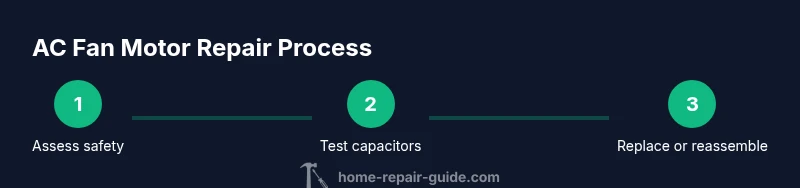
By following this guide, you will be able to diagnose and repair an air conditioner fan motor. You'll learn how to test the motor, inspect capacitors and bearings, and perform safe replacement or rewire as needed. Have a multimeter, basic hand tools, and electrical safety knowledge on hand before starting. This is a practical, hands-on project that homeowners and renters can perform when care is taken to power down and isolate the circuit.
Understanding the fan motor's role in the cooling system
The blower or condenser fans are a critical part of your air conditioner, moving air across coils and dissipating heat. In most home systems, the outdoor condenser fan motor pulls air through the condenser coils, while the indoor blower fan motor circulates cooled air through the house. When either unit fails or slows, you’ll notice reduced cooling, longer cycles, unusual noises, or frequent tripping of protective breakers. According to Home Repair Guide, recognizing the motor’s role helps you diagnose problems more quickly and safely. The Home Repair Guide team found that many common failures stem from worn bearings, capacitor faults, or miswiring rather than a seized motor itself. By understanding how the motor should sound and spin, you can spot issues early and plan a repair path with confidence.
Common failure modes you might encounter
When you repair air conditioner fan motor issues, several failure modes appear more often than others. Worn bearings create grinding or rumbling sounds and can slow the rotor, increasing heat. A failing run capacitor can prevent the motor from starting or cause it to start intermittently and hum. Wiring corrosion, loose connectors, or a damaged fan blade can also disrupt operation and create dangerous arcing or unbalanced loads. Dirty coils or restricted airflow can cause the motor to overheat and wear bearings faster. Being able to connect the symptoms to a likely failure mode speeds up diagnosis and reduces unnecessary part replacements.
Safety first: power down, lockout, and workspace setup
Safety is non-negotiable when you repair air conditioner fan motor assemblies. Before touching any components, switch off the circuit breaker or unplug the unit, and lock out the power if you’re working in a shared space. Use a non-conductive mat and wear personal protective equipment: safety glasses, gloves, and closed-toe footwear. Keep kids and pets away, and never work on live wiring. If you’re unsure about how to isolate power at the service disconnect, consult the unit’s manual or a licensed technician. Taking these precautions protects you and your home while you troubleshoot.
Tools and materials you'll need (overview)
A solid toolbox helps you complete the diagnosis and repair more efficiently. Essential items include a digital multimeter, a set of screwdrivers, needle-nose pliers, a torque wrench, wire strippers, electrical tape, and a voltage tester. Depending on your unit, you may also need a replacement capacitor of the correct microfarad rating, a compatible replacement motor, or a belt and blade if your system uses a belt-driven fan. Have a clean workspace, a flashlight, and a container to keep fasteners organized. If you don’t have a multimeter, you can still perform non-contact voltage checks, but a meter improves accuracy for diagnosing capacitors and coils.
Diagnosing the motor and related components
Start with a visual inspection: look for burnt wires, melted insulation, corroded terminals, or bent blades. With power off, test the motor windings for continuity using a multimeter; verify there is no short to ground. Check the run capacitor with a capacitance meter or multimeter with a capacitance function to ensure the value matches the motor’s spec sheet. Wiggle the connections gently to identify loose terminals. Spin the fan by hand if safe; a seized or stiff bearing will show resistance and noise. Compare current draw with the manufacturer’s spec to detect overloads. Remember, if you see signs of burning or melted insulation, replace the motor or capacitor rather than attempting a risky repair.
Repair options: when to repair vs. replace
Repairing a fan motor is often possible for minor bearing wear or a weak capacitor, but many repairs are not cost-effective or safe in the long term. If bearings feel gritty, loud, or the shaft binds, a replacement motor is usually the smarter choice. Capacitors are inexpensive and simple to replace when tests indicate a fault. If rewinding is required, or if the motor has excessive play or visible damage, replacement is typically recommended. In many cases, a new motor or compact module assembly with compatible warranties provides better reliability and energy efficiency than a DIY rewind.
Reassembly, testing, and calibration
After replacing components, reassemble the motor housing and secure all screws to proper torque as per the service manual. Reconnect wiring harnesses exactly as they were, making sure colors and terminals match. Restore power and run the outdoor unit for 10-15 minutes to observe proper operation: listen for smooth fan rotation, check for abnormal vibrations, and verify there is no overheating. If the fan fails to start, re-check the capacitor and the wiring order. A final run helps confirm steady air flow and even cooling. If you notice unbalanced vibration, inspect blade balance or mounting studs.
Maintenance to extend motor life
To maximize the lifespan of the fan motor, perform regular preventive maintenance. Clean dust and debris from the blades and motor housing, lubricate bearings if the motor design permits, and ensure the fan is balanced and securely mounted. Replace dirty or aging capacitors proactively when testing shows degraded performance. Schedule professional inspections as part of annual HVAC service to catch issues before they cause compressor or refrigerant problems. Protect exposed wiring from moisture and corrosion, and seal any gaps in the cabinet to maintain airflow efficiency.
Authoritative resources
- Energy.gov: Air Conditioners and the Energy Saver program. https://www.energy.gov/energysaver/air-conditioners
- EPA: Indoor air quality and HVAC safety resources. https://www.epa.gov/iaq
- For further reading, consult your unit’s service manual and a qualified technician if you encounter high voltage or uncertain wiring. Always reference manufacturer specifications for capacitor dosage, torque, and motor compatibility.
Tools & Materials
- Multimeter(Digital with capacitance function if possible)
- Cordless drill or driver(Phillips and flat bits; 1/4 in and 5/16 in adapters)
- Screwdrivers (slotted and Phillips)(Magnetic bits help with small screws)
- Needle-nose pliers(Grip small connectors and wires)
- Wire strippers(For trimming and exposing conductors)
- Electrical tape(For insulating splices and securing wires)
- Voltage tester / non-contact tester(Confirm no live voltage before touching wires)
- Replacement capacitor(Match microfarad rating and voltage to the motor)
Steps
Estimated time: 60-120 minutes
- 1
Power down and isolate the circuit
Turn off the circuit breaker for the AC unit and unplug it if accessible. If you’re in a shared space, lock out the switch and confirm there is no voltage using a non-contact tester.
Tip: Always verify power at the panel and at the unit before touching any wiring. - 2
Access the fan motor housing
Remove access panels to reach the motor bay. Keep track of screws and note their locations. Ensure you have a clear, well-lit workspace before proceeding.
Tip: Take photos of the setup before disassembly to guide reassembly. - 3
Disconnect power and secure the wires
Carefully unplug or unclip the wiring harness. Label each wire or note terminal colors to avoid miswiring later.
Tip: Use masking tape and a marker to label wires as you detach them. - 4
Test the motor windings with a multimeter
With power off, set the meter to continuity and verify the windings show proper resistance. Check for shorts to ground by testing from windings to the motor frame.
Tip: A reading of infinite resistance is typical for intact windings; a short indicates replacement is needed. - 5
Check the run capacitor
Discharge and remove the capacitor. Use the meter or a dedicated capacitance tester to confirm it matches the motor’s spec. Replace if out of tolerance.
Tip: Capacitors fail gradually; even a small change in micron value can prevent startup. - 6
Inspect bearings and blades
Manually rotate the shaft to check for smoothness. Look for play, grinding, or wobble in the blade assembly and verify blade balance.
Tip: Worn bearings or imbalance often cause overheating and excessive noise. - 7
Decide repair vs. replacement
If bearings are worn or the rotor binds, replacement is usually more economical and reliable. If the capacitor tests poorly, replacement is straightforward and cost-effective.
Tip: If rewinding or major repairs are required, replacement is typically safer. - 8
Install or replace the motor
Install the chosen component, reconnect wires in the correct terminals, and secure the housing. Re-torque fasteners as specified.
Tip: Use manufacturer torque specs to prevent over-tightening that could crack housings. - 9
Reassemble and test
Reinstall access panels, restore power, and run the unit for 10–15 minutes. Listen for smooth operation and check for vibration or overheating.
Tip: If you hear abnormal sounds, power down and re-check connections and blade balance. - 10
Document results and plan maintenance
Record what you replaced, the test results, and recommended maintenance intervals. Schedule periodic checks to prevent future failures.
Tip: A short maintenance log helps you catch creeping issues early.
FAQ
What are common signs of a failing AC fan motor?
Common signs include unusual noises (grinding or squealing), slow or no starting, frequent tripping of breakers, decreased cooling, and excessive heat around the unit. If you notice these, perform a diagnostic check or consult a professional.
Common signs are grinding noises, slow starts, or poor cooling. If you see these, inspect the motor or call a technician.
Can I fix it myself, or should I hire a pro?
Many homeowners can handle basic checks, capacitor replacement, and safe wiring with proper tools. Complex rewinds or high-voltage issues should be handled by a licensed HVAC technician. Always prioritize safety over trying to save money.
You can do safe, basic checks, but for rewinds or high-voltage work, hire a pro.
Do I need special tools beyond a multimeter?
A standard set of hand tools plus a capacitance tester is usually enough for common capacitor and winding checks. Some units may require manufacturer-specific adapters or torque tools.
Usually a multimeter and capacitor tester are enough, with the right screwdrivers.
How long does a typical fan motor repair take?
A straightforward diagnosis and capacitor replacement can take about 30–60 minutes. Replacing the motor or dealing with wiring complexity may take 1–3 hours depending on accessibility.
Most fixes fit within an hour, but more complex replacements can take a few hours.
Should I replace the motor or just the capacitor?
If the capacitor tests poor or the motor exhibits bearing wear, consider replacing the capacitor first and re-testing. If bearings are worn or the rotor binds, a full motor replacement is often the better option.
Start with the capacitor test; if it’s bad, replace it. If bearings are worn, consider a new motor.
Is it safe to run an AC with a faulty fan?
No. A faulty fan can cause the compressor to overheat, reduce cooling efficiency, and increase electrical risk. Shut down and diagnose or call a professional.
Running with a bad fan is not safe; shut it off and check it soon.
Watch Video
Key Takeaways
- Identify the motor’s role in your system before diagnosing.
- Power off completely before touching any wiring.
- Choose replacement over repair if bearings are worn or damage is extensive.
- Test capacitors and windings with proper tools to avoid misdiagnosis.
- Document your steps for future maintenance and safety checks.