Where to Repair iPhone Screen: A Practical Guide
Find trusted options to repair your iPhone screen—from Apple Stores to mail-in services. Learn speed, cost ranges, and warranty considerations for 2026.


Where to repair iPhone screen depends on budget, convenience, and trust. Options include Apple Stores and Authorized Service Providers for high quality and warranty, third-party shops for lower cost, mail-in services for convenience, and DIY replacements with higher risk. For most users, starting with an Apple-supported option balances reliability with speed.
Where to Start: Understanding Your Repair Path
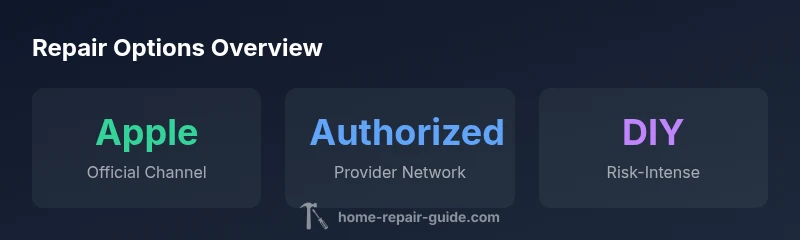
The first step in deciding where to repair an iPhone screen is to map the tradeoffs among cost, speed, and risk. Your main avenues are Apple Stores or Apple Authorized Service Providers, independent third-party shops, mail-in repair services, and DIY screen replacements. Apple channels typically offer stronger warranty coverage and guaranteed part compatibility, but may come with higher prices and longer wait times in busy regions. Third-party shops can be cheaper and faster but vary in part quality and warranty terms. Mail-in services offer convenience, especially if a local option is scarce, but you’ll incur shipping time and potential data privacy considerations. Finally, DIY replacements are the least expensive upfront but carry the greatest risk of damage and voiding existing warranties if they affect other components. Your choice should align with the device model, your tolerance for risk, and how critical uptime is for you.
Authorized vs. Non-Authorized Repair: What You Need to Know
Authorized providers, including Apple Stores, specialize in official parts and supported repair procedures. They’re usually the safest option for preserving resale value and ensuring compatibility with iOS updates. Non-authorized shops may price more aggressively and offer quicker turnaround, but quality and long-term reliability can vary. When evaluating a shop, ask about the source of parts (original vs. aftermarket), whether they replace the screen assembly or just the digitizer, and whether they offer any warranty on the repair. A clear, written quote that outlines the parts and labor helps prevent hidden fees later. Professional credentialing, such as manufacturer-approved training or third-party certifications, can provide additional peace of mind.
Apple Store vs. Apple Authorized Service Providers: Pros and Cons
Apple Stores are the gold standard for warranty support and diagnostics. They typically provide official screen assemblies, precise calibration, and seamless data protection during service. However, availability can be limited in less-populated areas and turnaround times may be longer during peak periods. Authorized providers nearby can reduce wait times and may offer price parity with Apple, though some locations still price slightly higher due to service standards. If you require a guaranteed battery covenant or advanced diagnostics, starting with an official channel is often worth the extra cost. In all cases, confirm the repair scope and whether a loaner device is available if you depend on the phone for daily tasks.
Mail-in Repair Services: Convenience vs. Turnaround
Mail-in options appeal to busy homeowners who can’t visit a store easily. You ship the device, wait for the repair, and have it mailed back. This method can be cost-effective and avoids in-person visits, but it can add days to the total turnaround and introduces shipping risks. Data security is a consideration—before sending the device, back up data and perform a factory reset if possible, or ensure the service has secure handling practices. Check the provider’s warranty terms on the repaired screen and whether they cover both the replacement part and labor. If you rely on the phone for work, factor in the extra time when planning the repair.
DIY Screen Replacement: Risks, Requirements, and What You Need
DIY repairs can be tempting for budget-minded users, but they carry significant risks. You’ll need specialized tools, careful handling of delicate connectors, and an understanding of LCD/touch sensor calibration. Mistakes can fracture the frame, damage battery safety systems, or cause ongoing touch issues that aren’t obvious right away. Additionally, performing a DIY repair may void existing warranties and can impact resale value. If you choose this route, use high-quality replacement parts from reputable suppliers, follow a trusted teardown guide, and have an oiled plan for safe battery handling and static protection.
How to Evaluate a Repair Shop: Checks and Questions
Ask for a written estimate that lists parts and labor separately, and request a warranty period for the repair. Inquire about the type of screen used (OEM vs. aftermarket), whether the work includes calibration and touchscreen testing, and if diagnostics are performed before replacing the screen. Look for reviews and check for red flags such as pressure to rush the repair, vague quotes, or requests to bypass standard security steps. A reputable shop will be transparent about the process, provide a clear time window, and stand by the result with a warranty.
Cost and Warranty: What to Expect
Costs vary based on model, location, and provider, but you should expect a correlation between quality and price. Apple-supported options generally come with robust warranty terms, while third-party shops may offer lower upfront costs with shorter or more limited warranties. Be cautious of quotes that are suspiciously low, as they may indicate subpar parts or incomplete services. A typical warranty should cover the replacement screen and workmanship for a reasonable period. Always confirm what is covered, how to file a warranty claim, and whether the warranty transfers if you sell the phone.
Steps to Take Before Dropping Off Your Phone
- Back up data and disable service protections if you plan to visit a store.
- Remove SIM cards and, if possible, sign out of iCloud to simplify data handling.
- Note the current symptom (e.g., unresponsive touch, discoloration) and mention any recent drops or water exposure.
- Bring proof of purchase or device serial number if available, which can aid warranty checks.
- Obtain a written estimate and expected turnaround time before authorizing any work.
What to Do After Repair: Testing and Safeguards
When you pick up the repaired device, test the screen for touch sensitivity, color accuracy, and edge-to-edge display sanity. Check for ghost touches, panel uniformity, and any lingering glare. Re-seat the device in its case and test with a few different apps to ensure there are no performance hiccups. If something seems off, contact the shop immediately and request a re-check within the warranty window. Finally, document the repair and the receipt for future reference.
Additional Considerations: Data, Privacy, and Longevity
A screen repair does not change data stored on the device, but it’s wise to protect your privacy by performing a backup and understanding how the repair process handles data. In rare cases, data loss or settings changes may occur during calibration. Consider pairing the repair with battery health checks or camera module testing if you notice any related issues after the screen swap. Regular maintenance and prompt attention to issues post-repair can extend the device’s useful life significantly.
Comparison of repair options for iPhone screen
| Option | Typical Cost Range | Turnaround | Warranty |
|---|---|---|---|
| Apple Store (official) | High (model-dependent) | Same-day to several days | Yes, limited warranty |
| Authorized Service Provider | Moderate | Same-day to several days | Yes, limited warranty |
| Third-Party Repair Shop | Variable | Several days to a week | Warranty varies |
| Mail-in Repair Service | Moderate to high | Several days to a week | Yes, warranty varies |
| DIY Replacement | Low material cost | Time varies; requires skill | No official warranty |
FAQ
Can I repair my iPhone screen myself safely?
DIY repairs can save money but carry significant risks, including device damage and voiding warranties. Proper tools and a careful approach are essential, and mistakes can be costly. Consider professional service if you’re uncertain.
DIY repairs can save money but risk damaging the device. If you’re unsure, go with a professional.
Will repairing at an Apple Store void my warranty?
Repairing at an Apple Store or an Authorized Service Provider typically preserves warranty coverage on the remaining components. Non-authorized shops may void or limit coverage; always confirm before service.
Apple-authorized repair usually preserves warranty, but check with the provider first.
How do I know if a shop uses original parts?
Ask for part sourcing details and read reviews focusing on part quality and fit. Reputable shops will disclose OEM or OEM-equivalent parts and provide a clear warranty on the repair.
Ask about parts: OEM or OEM-equivalent, and warranty terms.
Is mail-in repair faster than going in person?
Mail-in services can be convenient but may add shipping time. In-store options often provide quicker diagnostics and immediate testing after repair.
Mail-in is convenient but can take longer; stores often allow quicker testing.
What should I backup before repair?
Back up your data to iCloud or a local computer before any repair. This protects against potential data loss during service or calibration.
Back up data before repair to protect against loss.
How can I compare quotes effectively?
Get written estimates with parts and labor separated, check the warranty terms, and read recent customer reviews to gauge reliability.
Get written estimates and read reviews to compare reliability.
“Choosing the right repair path starts with balancing reliability, speed, and warranty, then validating the shop’s parts and process.”
Key Takeaways
- Assess risk before DIY: higher risk, lower cost.
- Prioritize warranty when speed matters.
- Verify parts source and shop credentials.
- Back up data before any repair.