Car Radio Repair: A Practical Step-by-Step Guide
A practical, safe guide to diagnosing and repairing car radios, covering power, grounding, wiring, head unit replacement, and test procedures for DIY homeowners.


Learn how to diagnose and fix common car radio issues, from power and grounding to wiring and antenna problems. This guide provides a safe, practical path to troubleshooting and repairs, with step-by-step instructions and essential tools. Whether you’re a DIY enthusiast or a homeowner trying to restore audio, this resource covers diagnosis, common failure modes, and replacement options.
Understanding car radio systems
Car radios are more than a single box; they include the head unit, wiring harness, antenna, speakers, and sometimes an external amplifier. The head unit handles source selection, Bluetooth, USB, CD, and radio functions, while the rest of the system feeds audio to speakers. Faults can arise in power and ground lines, connections at the harness, or the antenna path, causing no sound, intermittent playback, or poor signal. According to Home Repair Guide, a methodical approach starts with verifying power at the head unit, confirming a solid ground, and isolating the fault to the harness, antenna, or speakers. This understanding helps you plan safe, effective repairs and avoid unnecessary component swaps. Clear diagnostics save time and money while protecting your vehicle’s electrical system.
Common symptoms and what they mean
Car radios can fail in several ways, and symptoms often point to a family of causes. If the unit won’t power on, there may be a fuse, ignition feed, or ground fault. If the display is dim or flickers, power stability or grounding is in question. Intermittent audio with crackling noises can signal wiring damage, poor connections, or a failing speaker. Poor reception might come from a loose antenna connection or shielding problems. This section helps you translate symptoms into targeted checks, so you’re not guesswork-driven. By approaching symptoms methodically, you can differentiate between a quick fix and a replacement decision. Home Repair Guide team emphasizes documenting each test result to avoid rework on later steps.
Safety first: electrical hazards and precautions
Working on a car’s electrical system can pose shock and short-circuit risks, so safety must come first. Disconnect the negative battery cable before any disassembly, and wait several minutes to discharge capacitors in the radio circuit. Use insulated tools and wear eye protection when probing connectors. Keep metal jewelry away from hot, live contacts, and work in a dry, well-ventilated area. If your airbag or other high-voltage components are involved, follow OEM guidance and defer nonessential work. These precautions protect you and your vehicle while you troubleshoot. Always label wires and connectors to avoid mismatches during reassembly.
Tools and materials you'll need
A dedicated project tote keeps cables organized and steps clear. Essential items include a multimeter for voltage checks, insulated screwdrivers for panel removal, panel removal tools to avoid trim damage, and a torque driver if you’re reassembling sensitive fasteners. A wiring harness adapter, crimp or solder tools, electrical tape, heat shrink tubing, and a few zip ties help in clean wiring work. If you’re replacing the radio head unit, have a compatible replacement or a high-quality head unit and the proper harness adapters. Keep a service manual reference for your vehicle model, and a flashlight for hard-to-see connectors. Optional items include a continuity tester, soldering station, and a magnetic mat to keep small parts from getting lost.
Diagnosing power and ground issues
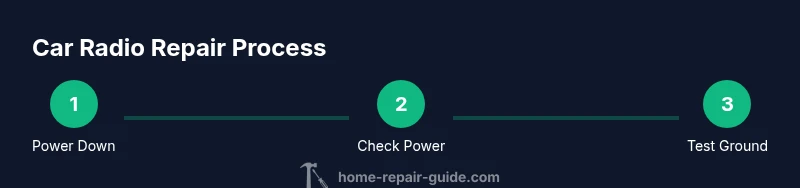
Power and ground are the backbone of the car radio’s operation. Start by checking fuses and the ignition-switched power lead at the head unit. Use a multimeter to verify 12V on the constant power line and a separate measurement on the ignition line when the key is on. Ground continuity is equally important; a poor ground can cause no audio or intermittent operation. Inspect the radio ground strap and nearby chassis grounds for corrosion or paint insulation that blocks a solid connection. By confirming clean power and ground, you establish a reliable baseline for more complex tests.
Checking the wiring harness and connectors
Wiring harness damage is a frequent source of car radio failures. Inspect the harness for bent pins, broken wires, or corrosion at pin sockets. Disconnect and reseat connectors to clear poor connections, and check for loose locking tabs that may allow intermittent contact. If you notice any damaged wires, repair or re-pin as needed with the appropriate harness adapters. Label each connector so you can reassemble without confusion. After repairing wiring, recheck power, ground, and speaker outputs to confirm progress.
Head unit faults vs. speaker problems
Not every symptom points to the head unit. If sound is missing only on certain channels or speakers produce no output while the display works, the issue could be a faulty speaker or bad wiring to specific channels rather than a failed head unit. Perform a controlled test using a known-good speaker to check channel operation and verify impedance compatibility. If multiple channels fail across sources (AM/FM, Bluetooth, USB), suspect the head unit, wiring harness, or antenna path. This distinction helps you allocate time and budget more accurately.
Replacing the head unit: what to expect
Replacing the head unit is a common solution when the factory radio is unreliable or outdated. Ensure the replacement offers compatible connectors and mounting brackets for your vehicle. Use a harness adapter to match OEM wiring without cutting through factory circuits, preserving vehicle resale value and safety. Plan for potential antenna adapters if your car uses a proprietary connector. After installation, perform a full system test: power on, test each source, check Bluetooth pairing, and verify steering-wheel controls, if applicable. If the unit supports car-specific features, ensure those continue to function as well.
Wiring harness adapters and antenna considerations
Harness adapters simplify installations by preserving factory wiring while allowing modern head units to function with older vehicles. Confirm adapter compatibility with your model year and trim level, and test pinouts against the factory schematic. Antenna considerations matter for signal quality; some vehicles require an RF adapter to maintain AM/FM reception and remote radio control responsiveness. When in doubt, verify the adapter’s wiring diagram against your vehicle service manual and test signal strength in multiple bands after installation.
Testing, reassembly, and final checks
Reassembly requires patience: reconnect all harnesses in the reverse order of disassembly, reattach panels carefully, and secure trim without overtightening. Reconnect the vehicle battery and power up the radio. Test each input source, verify speakers in sequence, and confirm the radio’s clock and settings hold when the car is off. A final road test ensures there are no overheating issues or intermittent connections under real driving conditions. If anything malfunctions, revisit the related test point and inspect connectors for secure contact.
Final checks and long-term maintenance
After a repair or replacement, document all wiring changes and keep the service manual in your car for future reference. Schedule periodic checks of the radio harness and antenna connections to catch corrosion or wear early. A small amount of dielectric grease on electrical connectors can help prevent corrosion in humid environments, but avoid excessive use where it could attract dust. By following a routine, you protect your audio system and reduce the likelihood of rework.
Tools & Materials
- Multimeter(Voltage and continuity testing)
- Insulated screwdrivers(Panel removal and safe fastening)
- Panel removal tools(Avoid trim damage)
- Wiring harness adapters(OEM wiring compatibility)
- Crimp/solder tools(Secure wire connections)
- Electrical tape(Insulate exposed wires)
- Heat shrink tubing(Professional wire repair)
- Zip ties(Organization and strain relief)
- Replacement head unit or components(Optional if repairing only wiring)
- Antenna adapter (if needed)(Maintain AM/FM reception)
- Service manual for your vehicle(Model-specific wiring and safety)
Steps
Estimated time: 30-90 minutes
- 1
Power down and access wiring
Begin by disconnecting the negative battery terminal to prevent shorts. Remove trim panels carefully to expose the radio and access connectors. This step ensures you can safely inspect power and harness connections without risk of sparks or airbag deployment.
Tip: Use a magnetic mat to keep fasteners organized and labeled for reassembly. - 2
Verify power and ground signals
Test the constant 12V supply and ignition-switched power at the radio harness using a multimeter. Confirm a solid ground path by testing continuity to the vehicle chassis. If power or ground are missing or intermittent, address fuse, wiring, or grounding issues before proceeding.
Tip: Measure with the ignition on and off to differentiate constant vs. switched power. - 3
Inspect and reseat the harness
Disconnect the radio harness, inspect each pin for corrosion or damage, and reseat firmly. Check locking tabs and ensure the harness is fully seated. Replace any damaged pins or use a corresponding adapter if needed.
Tip: Work in a clean, well-lit area to avoid misplacing small connectors. - 4
Test the antenna path
Check the antenna connector for corrosion and secure fit. If signal is weak, test the RF path using a radio with a known-good antenna. Replace or adapt the antenna harness if you observe persistent reception problems.
Tip: A loose antenna ground can mimic power issues; verify ground continuity to the antenna mounting point. - 5
Evaluate speakers and impedance
Connect a known-good speaker to confirm channel output and impedance compatibility. If one channel is silent or distorted, the problem may lie with wiring to that speaker or the speaker itself rather than the head unit.
Tip: Use a test tone and an impedance meter to isolate problems quickly. - 6
Assess head unit functionality
If power and wiring checks pass but the unit still misbehaves (flickering display, no source playback), the head unit may be faulty. Consider a replacement or professional reconditioning if you’re uncomfortable with internal fault diagnosis.
Tip: Keep a note of model and wiring harness compatibility for replacements. - 7
Replace or rewire and test
If a component is faulty, install the appropriate replacement or re-wire with a new harness adapter, then reassemble. Reconnect the battery, power on, and test every input source and output. Confirm stability over time.
Tip: Test in a controlled environment before driving to ensure no hidden issues exist.
FAQ
What is the first step if my car radio won’t turn on?
Begin by disconnecting the battery, then check fuses and the radio’s ignition power lead. Verify ground continuity before testing power with a multimeter. If power is present but the radio still won’t turn on, the fault is likely in the head unit, harness, or connectors.
If your radio won’t turn on, start by safely disconnecting the battery, check fuses, test ignition power, and verify a solid ground. If power is present but the unit remains unpowered, the issue is likely in the head unit or wiring.
Can I repair a car radio myself, or should I replace it?
Many common issues, especially with wiring and connectors, can be repaired at home with basic tools. If the head unit is failing internally or has serious compatibility problems, replacement or professional service may be more cost-effective.
Most wiring and connection issues can be fixed at home, but if the head unit itself is faulty, replacement might be the simpler solution.
Is it dangerous to work near airbags or high-voltage components?
Yes. Always disconnect the battery and wait for a safe period before handling dash components. Avoid opening airbag modules and defer to a qualified technician for any airbag-related work.
Yes. Always disconnect the battery and wait before touching dash components. If you’re unsure about airbag circuits, consult a professional.
Do I need a special harness to install a replacement head unit?
Often yes. A wiring harness adapter preserves OEM wiring and simplifies installation. Verify compatibility with your vehicle’s year, make, and model before purchasing.
Usually you’ll need a harness adapter to fit a new head unit to your car’s wiring.
What indicates an antenna or tuner issue?
Weak reception, persistent static, or loss of certain bands typically point to antenna or tuner problems. Check the antenna connection first, then test with a known-good antenna if possible.
If reception is weak or there’s static, check the antenna and tuner connections before replacing components.
What is a reasonable budget for car radio repairs?
Costs vary widely. DIY fixes are usually under a few hundred dollars for parts and adapters, while head unit replacement can range from a few hundred to several hundred dollars depending on features and installation.
DIY fixes are typically affordable, but complex replacements can cost more; plan for parts and possible installation if you’re not doing it yourself.
Watch Video
Key Takeaways
- Identify the fault source through systematic testing
- Safety and proper grounding are non-negotiable
- Harness adapters simplify replacement while protecting OEM wiring
- Test comprehensively after each repair step