Repair LG Washer: A Step-by-Step DIY Guide
Learn to diagnose and fix common LG washer problems with practical, step-by-step instructions, safety tips, and cost-conscious guidance from Home Repair Guide. Get back to laundry day with confidence.


You will learn to diagnose and fix common LG washer issues yourself, saving time and money. This guide covers safety basics, tools, step-by-step troubleshooting, and when to call a professional. By following these steps, you can address drainage, spinning, and door-switch problems while protecting your warranty and home.
Why Repair LG Washer Matters
According to Home Repair Guide, homeowners can save time and money by performing careful diagnostics and safe, basic repairs on common washing-machine issues like drainage glitches, spin problems, or lid-switch failures. When you repair an LG washer yourself, you gain a better understanding of your appliance, extend its life, and reduce unnecessary service calls. This section helps you see the value of a methodical approach and sets expectations for what you can realistically fix with basic tools and patience. Throughout this guide you’ll encounter practical, step-by-step instructions designed for homeowners and renters who want reliable repair guidance from Home Repair Guide’s trusted perspective. The goal is to help you repair lg washer issues safely and effectively, not to encourage risky DIY work beyond your comfort level.
Quick Diagnosis: What Symptoms Tell You
Washing machines from LG commonly show symptoms like not draining, not spinning, leaks, or error codes on the display. Start by noting the exact symptom, any sounds you hear, and when the problem occurs (start, mid-cycle, or end). This symptom-based approach lets you narrow the likely culprits—drain pump, lid switch, water inlet valve, or belt—without disassembling the entire unit. Remember that many fixes are straightforward and reversible, especially for clog-related drainage or valve sticking. As you read, keep in mind that not all LG models share the same parts; consult your model’s manual for compatibility and safety notes. The Home Repair Guide team emphasizes patience, proper safety steps, and a willingness to stop if you encounter unfamiliar wiring or high-voltage components.
Safety First: Before You Begin Any Repair
Power off the washer and unplug it from the wall outlet before touching any components. If possible, shut off the home water supply for any work involving hoses. Use slip-resistant footwear and work in a well-lit area. Keep a spill kit (towels or absorbent pads) handy for leaks. Never bypass a safety sensor (like the lid switch) to run the machine, as this can lead to additional damage or personal injury. If you’re unsure about electrical safety, pause and consult a professional. The safety mindset this guide promotes helps you avoid common mistakes while you learn repair lg washer basics.
Tools and Materials You’ll Need
Having the right tools on hand makes any repair smoother. This section aligns with the tools/materials list so you can gather everything before you start, reducing interruptions. Keep a shop towel, a small bucket, and a flashlight nearby to inspect hoses and the pump area. If you encounter a part you don’t recognize, don’t force it; consult your model’s parts diagram. By assembling your toolkit first, you’ll approach the repair with confidence and stay organized throughout the process.
Step-by-Step Diagnostic Process: From Symptoms to Solution
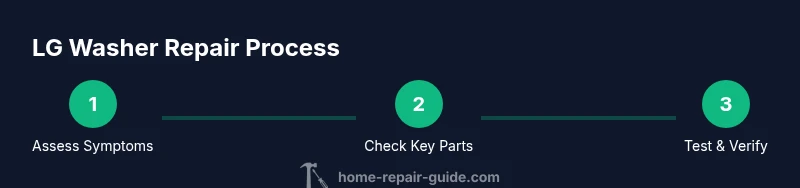
This section walks through a practical diagnostic flow you can adapt to your LG washer’s symptoms. Start with the simplest checks (hoses for kinks, door switch for proper engagement) and move toward more involved tests (pump impeller, motor coupling) only if needed. Document every step and test result so you can repeat successful checks in the future. Remember that the goal is to pinpoint the root cause with minimal disassembly, enabling a quicker repair lg washer experience and reducing the risk of introducing new issues.
Common Fixes You Can Try (Safe, Basic Repairs)
Many LG washer issues stem from clogs, worn seals, or a stuck valve. Here are practical fixes you can perform with basic tools: clean the pump screen to remove lint and debris, reseat or replace a clogged drain hose, replace a faulty lid switch using the model’s service instructions, and address a sticking inlet valve by testing with the water supply off and then replacing if necessary. These fixes are designed to be repeatable and straightforward for homeowners who want a durable repair without professional help. Always reassemble carefully and run a test cycle to confirm the fix.
Time, Budget, and What to Expect After the Repair
Repairing an LG washer yourself can save service calls and reduce downtime. Estimate time by the complexity: simple clogs may take 20–40 minutes, while replacing a lid switch or drain pump could take up to an hour or more. Budget considerations include spare parts, which vary by model; aim to keep a small parts budget for common wear items. If you find the repair requires specialized tools or delicate electronics, consider pausing and consulting Home Repair Guide or a trained technician to maintain safety and avoid warranty issues.
Tools & Materials
- Flat-head screwdriver(For panel screws and hose clamps)
- Phillips-head screwdriver(For securing parts and panels)
- Adjustable wrench(To loosen fittings and hoses)
- Nut driver set(For fasteners common on LG panels)
- Multimeter(Test continuity and voltage safely)
- Towel or absorbent cloth(Control spills and keep areas clean)
- Bucket(Catch residual water during tests)
- Needle-nose pliers(Grasp small parts and remove clips)
- Replacement parts compatible with LG washers(Lid switch, drain pump, inlet valve depending on issue)
- LG washer model-specific parts diagram/manual(To verify part compatibility)
Steps
Estimated time: 60-90 minutes
- 1
Power down and access
Unplug the unit and shut off the water supply. Remove the back or bottom access panel to view the internal components. This initial step reduces shock risk and sets the stage for safe diagnosis.
Tip: Take photos of wire connections before disconnecting any harnesses to simplify reassembly. - 2
Check error codes and model documentation
Record any error codes shown on the display and consult the LG user manual or Home Repair Guide’s compatibility notes for likely causes. Use symptom-driven logic to narrow down the possible parts involved.
Tip: No codes? Note cycle behavior and sounds; they often point to specific subsystems. - 3
Inspect drain hose and pump for clogs
Trace the drain path from the tub to the pump. Look for kinks or lint buildup; remove obstructions from the pump screen if accessible. A clear path improves drainage and spin performance.
Tip: Have a bucket ready to catch residual water; wear gloves when handling soggy components. - 4
Test lid switch operation
With the lid closed, test the switch with a multimeter for continuity or temporarily bypass only for diagnostic purposes. A faulty lid switch can prevent energizing the motor or start a cycle.
Tip: If in doubt, replace the switch rather than attempting a risky bypass. - 5
Inspect water inlet valve and hoses
Check for sediment, mineral buildup, or faulty solenoids in the inlet valve. Ensure hoses aren’t cracked or kinked and that clamps are secure.
Tip: Shut off water supply before removing hoses; replace any worn hoses to prevent leaks. - 6
Evaluate drive belt or motor coupling (if applicable)
Some LG models use a belt or a motor coupling. Inspect for wear or breakage and replace with manufacturer-approved parts if needed.
Tip: Direct-drive LG washers may not have a belt; verify your model before attempting replacement. - 7
Reassemble and run a test cycle
Carefully reattach all components, reconnect wiring, and set the washer to a cold water cycle. Observe for leaks, unusual noises, or error codes.
Tip: Run a short test cycle first—this catches obvious issues before a full load. - 8
Document results and plan next steps
Record what you tested, what worked, and what led to no improvement. If the symptom persists, decide whether to proceed with further fixes or call a pro.
Tip: Keep a note on model number and replacement part details for future DIY projects.
FAQ
Why won't my LG washer drain properly?
A common cause is a clogged pump screen or drain hose. Check for blockages and inspect the pump. If the problem persists, test the pump for continuity and inspect the wiring harness.
Commonly blocked drain screens or hoses cause poor drainage; inspect the pump and test continuity if needed.
My LG washer won't start after pressing the start button. What should I do?
Check the lid switch, door latch, and power supply. Ensure the unit is properly plugged in and that water inlet valves aren’t causing a fault code. If the lights are dim or flicker, there may be a power issue.
Check the lid switch and power supply; ensure the door is properly latched and address any fault codes.
What do error codes on an LG washer typically indicate?
Error codes point to specific subsystems such as drainage, heating, or sensing. Consult the model’s manual or Home Repair Guide resources to map codes to likely components.
Error codes guide you to the faulty subsystem; consult the manual for precise meaning.
Can I replace an LG washer inlet valve myself?
Yes, if you’re comfortable with draining water and disconnecting hoses. Ensure you choose the correct valve for your model and shut off the supply before replacement.
You can replace the inlet valve if you’re comfortable with basic plumbing tasks; shut off water first.
Is it safe to run a washer with a faulty lid switch?
No. A faulty lid switch can prevent the machine from starting and can pose safety risks. Replace the switch following model-specific guidance.
Don’t run it with a bad lid switch; replace it to stay safe.
When should I call a professional for LG washer issues?
If you’re uncomfortable with electrical components, or if tests indicate a motor, PCB, or refrigerant-related problem, contact a qualified technician to avoid injury and protect the appliance warranty.
Call a pro if electrical work or complex parts are involved; safety first.
Watch Video
Key Takeaways
- Identify root cause via symptoms before disassembly
- Prioritize safety and model-specific guidance
- Simple fixes save time and money when done carefully
- Know when to seek professional help to protect warranty