Why Is My Service So Slow? A Practical Troubleshooting Guide
Learn how to diagnose slow home service issues quickly and safely. This step-by-step guide covers power, flow, and equipment causes, with actionable fixes and prevention tips for homeowners.


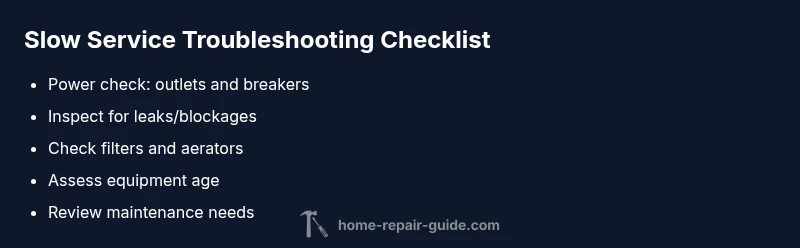
According to Home Repair Guide, slow service often starts with simple, addressable issues. The most likely causes are a weak power supply, clogged lines, or aging equipment. Start by checking the power at outlets, testing breakers, and looking for obvious blockages. If unresolved, follow the step-by-step flow below to pinpoint the culprit and apply safe fixes.
Understanding what 'slow service' means in a home setting
In household terms, 'slow service' describes a system that responds or delivers a function with noticeable delay compared to normal operation. That can mean water takes longer to reach fixtures, a heating or cooling cycle runs longer than expected, or an electrical circuit feels laggy when multiple appliances run. From a maintenance perspective, slow service is a symptom, not a single fault. Identifying it early saves time, reduces energy waste, and prevents bigger problems down the road. According to Home Repair Guide, diagnosing the root cause quickly hinges on isolating variables: power, flow, and age of equipment. By approaching the issue methodically, homeowners can often restore performance without a full replacement. This article walks you through a practical troubleshooting path, highlighting safe checks, diagnostic clues, and when to call in a professional. Home repairs are often predictable when you follow a planned flow, and the same logic applies whether you’re diagnosing a slow water line, a sluggish heating cycle, or delays in a service call from a contractor.
Steps
Estimated time: 1-2 hours
- 1
Power check at outlets and panels
Begin with the basics: verify that the outlet or device you’re testing actually has power. If your outlets are unpowered, reset any tripped breakers and inspect for signs of overheating in the panel. If issues persist, move to the next diagnostic step and avoid further probing into energized circuits.
Tip: If a breaker repeatedly trips, stop and consult a licensed electrician. - 2
Inspect for leaks or blockages
Look for damp spots around fixtures, under sinks, and near appliances. Remove mineral buildup from aerators and showerheads, and check filters or screens for clogs. A hidden leak can silently reduce flow.
Tip: Keep towels handy and avoid using hot water on suspect pipes until inspected. - 3
Test water pressure and fixture performance
Compare hot and cold water flow at multiple fixtures. If pressure is low across the house, the issue may be upstream; if only one fixture is slow, focus on that line. Document readings to track changes over time.
Tip: A simple pressure gauge can provide quick, actionable data. - 4
Assess HVAC and appliance efficiency
Check HVAC filters, vents, and the condition of motors or compressors. A clogged filter or dusty ducts can drastically slow performance. For appliances, note any unusual noises, vibration, or heat that indicates inefficiency.
Tip: Regularly replacing filters helps many systems run at peak efficiency. - 5
Review external factors and service status
Check if your utility provider or local service is experiencing outages or scheduled maintenance impacting performance. Sometimes the bottleneck is outside your home and cannot be fixed with internal checks.
Tip: A quick outage check can save you from unnecessary internal work. - 6
Document findings and plan next steps
Record what you checked, what worked, and what didn’t. If the problem remains after basic checks, prepare a plan for professional evaluation, including any relevant readings or photos.
Tip: A well-documented history speeds up professional assessments.
Diagnosis: Household service is slow to respond or deliver results (e.g., weak water pressure, slow heating cycle, or sluggish electrical performance).
Possible Causes
- highPower issue (outlets, breakers, or unstable supply)
- mediumBlockages or leaks in supply/return lines
- lowAging equipment or components
Fixes
- easyCheck the main power source and reset tripped breakers; test outlets with a known-good device
- easyInspect for visible leaks or blockages; clean filters, aerators, and screens; remove mineral buildup
- mediumPlan replacement or professional tune-up for aging equipment; consider service life thresholds and efficiency upgrades
FAQ
What are the most common reasons my home service is slow?
Power issues, clogs, aging equipment, and external outages are among the most frequent causes. Isolating power, flow, and equipment age helps identify the culprit quickly.
Common reasons include power problems, clogs, aging gear, and outages.
How can I safely test electrical outlets and breakers?
Use a known-working device to test outlets, reset breakers, and look for signs of damage. If outlets feel warm or have scorch marks, stop and call a professional.
Test outlets with a known device and reset breakers safely.
What should I do if I detect a leak during inspection?
Shut off the relevant valve, dry the area, and contact a professional if the leak persists or if you’re unsure how to proceed.
Shut off the valve and call a pro if a leak is detected.
When should I call a professional?
If you smell gas, notice structural damage, or can’t safely restore function after basic checks, seek professional help promptly.
If in doubt, call a professional.
Can regular maintenance prevent slow service?
Yes. Routine checks and timely replacements keep systems clean, well-lubed, and responsive, reducing slow service occurrences.
Regular maintenance helps prevent slow service.
How long does a typical repair take?
Times vary by issue. Simple fixes may take 30–60 minutes, while more complex problems could require several hours or professional scheduling.
Times vary; minor fixes take about an hour on average.
Watch Video
Key Takeaways
- Start with power checks to rule out electrical issues
- Inspect for leaks or clogs that restrict flow
- Age of equipment matters; plan replacements
- Prevent slow service with regular maintenance and timely upgrades