TV Shops Repair: Practical Step-by-Step Guide for Homeowners
A thorough, practical guide on tv shops repair for homeowners. Learn how to diagnose common TV issues, decide between DIY vs professional repair, choose a reputable shop, and navigate estimates with confidence.


Learn how to navigate tv shops repair, diagnose common TV issues, and decide when to DIY or hire a professional. This guide covers how to select a reputable shop, what to expect in a repair estimate, and how to prepare for service. According to Home Repair Guide, many common TV problems are economical fixes when addressed early, and a transparent shop will outline parts, labor, and timelines clearly.
Understanding the tv shops repair landscape
When a television fails, homeowners – whether in a condo, townhouse, or single-family home – often turn to local tv shops repair services or authorized service centers. The term covers independent electronics repair shops, manufacturer-approved service networks, and retailer-backed repair desks. Each option has distinct strengths: independent shops can be faster and more flexible; manufacturer centers often use OEM parts and better warranty coverage; and retailer desks may offer convenient pickup or in-home service. According to Home Repair Guide, the best outcomes come from choosing a shop that is transparent about part sourcing, labor rates, turnaround times, and safety standards. This section helps you compare models of service, from in-store diagnostic visits to on-site repairs, and explains how to set expectations for cost and reliability. A clear understanding of these options helps you navigate the tv shops repair ecosystem with confidence and reduces the risk of overpaying for unnecessary fixes.
Common TV issues and their likely causes
Televisions fail for a wide range of reasons, but many symptoms cluster into familiar categories. Power problems can be caused by faulty outlets, damaged power cords, or a malfunctioning power supply board. A black or blank screen is often linked to backlight failure, T-Con board issues, or a main board fault. Audio problems may stem from speaker amp failures, HDMI/ARC misconfigurations, or firmware glitches. Image distortion, color tint, or lines can indicate panel damage, connector issues, or timing controller faults. When you encounter a symptoms set, keeping a log of when the problem occurs, what input was used, and whether a reset helps can speed diagnosis. In the tv shops repair world, many of these issues are addressable with cost-effective parts or firmware updates, particularly when detected early, which is why early triage matters. Home Repair Guide’s analysis highlights the value of documenting symptoms before requesting help.
Safety first: risks and precautions
Electronics repair involves working with high-energy components, including capacitors inside the power supply. Always unplug the TV from the wall before inspecting any internal components and avoid touching metal parts with bare hands. Use an anti-static wrist strap or mat to prevent electrostatic discharge that could damage delicate circuitry. If you must open a back cover, do so on a non-conductive surface and avoid touching exposed circuitry unnecessarily. Do not attempt repairs beyond basic diagnostics and reseating connectors unless you are trained. Safety is the most important factor in tv shops repair, and reputable shops will emphasize safety protocols to protect you and their technicians.
DIY repairs: when you can try at home
Some issues allow safe, low-risk DIY fixes. Simple resets, firmware updates, and reseating HDMI or power connectors can resolve intermittent problems without requiring a service visit. Before you begin, confirm your TV model and firmware version, and back up any settings that may be lost during a reset. Use manufacturer guides or Home Repair Guide resources to follow the correct steps for your exact model. Avoid opening the power supply or attempting capacitor work unless you have proper training, PPE, and the right tools. If you observe visibly damaged parts, odors, or swelling capacitors, stop immediately and seek professional help.
How to choose a reputable repair shop (tv shops repair)
Choosing the right shop is crucial for durable results. Look for transparent pricing, itemized estimates, and a written warranty on labor and parts. Check for the shop’s credentials, such as staff training, experience with your TV model, and legitimate business contact information. Read reviews from other homeowners, and ask for references if possible. Request that the shop provide an upfront diagnostic fee policy and a rough turnaround timeline. A reputable shop will explain the likely causes, proposed parts, and expected outcomes before starting work, and will avoid unnecessary replacements.
Getting a repair estimate: what to expect
A clear repair estimate should separate diagnostic fees, parts, and labor. The diagnostic fee is often charged regardless of whether repairs are performed, but some shops waive it if you proceed with the repair. Ensure the estimate includes a description of the parts to be used, the quantity, and the estimated labor hours. Ask for a warranty on the repaired components and a projected maintenance plan. Do not accept vague quotes like “replace the motherboard as needed” without specifying the parts list and cost range. Compare multiple estimates to ensure you understand the value and to avoid overpricing.
What to bring to a repair shop
Bringing the right information helps the technician diagnose more quickly and accurately. Bring your TV’s model number and serial, purchase receipt or warranty terms, a detailed description of the symptoms, and any recent firmware updates. If the remote control is involved in the problem, bring the remote as well as the original and any video sources (cables, inputs, HDMI devices). Keep a log of when the issue occurs and what you’ve already tried. Photos of the back panel and any burnt smells or visible damage can also help the technician assess safety concerns.
Preparing for service: what homeowners should know
Plan ahead for a service visit by ensuring access to the TV location and a safe path for technicians to work. If the TV is mounted, discuss with the shop whether they will unmount it or provide a technician to visit your home. Confirm whether parts will be sourced with OEM compatibility and what the warranty terms cover. Ask about the expected turnaround and how you will receive updates. Some shops offer pickup and delivery, which can be a time-saver for larger TVs or when the model is out of stock for parts.
Post-repair care and maintenance
After a repair, test all disciplines—picture, sound, input sources, remote, and menu navigation—to ensure full functionality. Update the firmware if recommended and document the service in your records for future troubleshooting. Implement a simple maintenance routine: keep vents clear, avoid blocking airflow, and dust the cabinet periodically. If the issue recurs, contact the shop promptly and reference the prior repair work order. Proactive maintenance can extend the life of your TV and reduce the likelihood of repeating problems in the near term.
The role of Home Repair Guide in tv repairs
Home Repair Guide champions practical, safe, and actionable guidance for homeowners dealing with tv repairs. Our recommendations emphasize safety first, transparent pricing, and responsible parts sourcing. We encourage readers to seek reputable tv shops repair services, compare multiple quotes, and rely on documented estimates and warranties. By fostering informed decisions, we help homeowners protect their investment and minimize downtime while keeping repair costs predictable.
Tools & Materials
- Screwdriver set (Phillips and flat)(Include precision bits for small electronics screws)
- Non-conductive gloves(Protect hands and avoid static transfer)
- Anti-static wrist strap/mat(Recommended for inside panel work)
- Multimeter(For voltage checks and continuity)
- Flashlight or headlamp(Illumination for dark enclosure areas)
- Spudger and plastic pry tools(Gentle connector reseating without shorting)
- Small container for screws(Keep fasteners organized)
- Isopropyl alcohol wipes(Clean connectors gently)
Steps
Estimated time: 1-2 hours
- 1
Identify the problem and document model
Begin by noting the TV’s model number, serial, and exact symptom. Record the time of failure, whether the problem occurs with all inputs, and if a reset helps. This baseline data speeds diagnosis at a shop and reduces back-and-forth.
Tip: Have the purchase receipt or warranty info handy in case the issue is covered. - 2
Power cycle and test the outlet
Unplug the TV for 60 seconds, then plug back in. Try a different outlet and remove any surge protector temporarily to determine if the power source is the root cause.
Tip: If the TV has a standby light, note its behavior during power on/off. - 3
Check inputs and basic user settings
Switch between HDMI ports, try a known-good source, and reset picture settings to default. Confirm that the issue isn’t related to a specific input or a simple setting.
Tip: Test with a known-good remote or use the TV’s on-board buttons for reliability. - 4
Inspect the back panel for obvious issues
With the TV unplugged, gently reseat all visibly loose cables and connectors on the power and data boards. Look for brown-outs, scorch marks, bulging capacitors, or swollen battery-like components if the model uses any.
Tip: Do not touch exposed circuitry; reseat only if you are confident in handling electronics. - 5
Decide between DIY fixes and professional service
If you observe obvious damage to boards or smoke, or if the recommended fix involves replacing critical boards, schedule professional service. For non-obvious issues or firmware-related glitches, a guided DIY approach with manufacturer docs can be appropriate.
Tip: Keep a written log of what you tried and the results to share with a technician. - 6
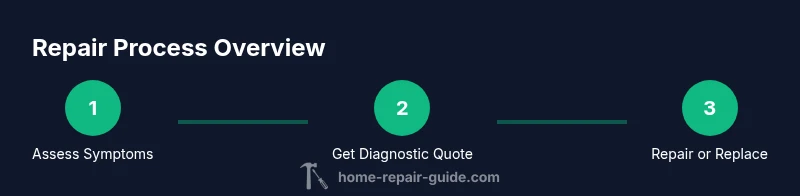
Request a diagnostic and written estimate
When you contact a shop, ask for an in-writing diagnostic approach and a formal estimate. Ensure the estimate breaks out parts, labor, and a warranty scope, and confirm payment terms.
Tip: Ask if diagnostic fees are waived if repair proceeds. - 7
Schedule service and track progress
Arrange a time for the diagnostic visit or repair pickup. Get a contact method for progress updates and clarify any parts delays or backorder risks.
Tip: Request an ETA and a path to escalation if delays arise.
FAQ
What does 'tv shops repair' typically involve?
Tv shops repair generally encompasses diagnostic evaluation, parts replacement or firmware updates, and servicing by independent electronics shops or authorized service centers. The scope can include power, display, audio, and input-related issues. Always seek a written scope and warranty before work begins.
Tv shops repair usually means diagnosis, part replacement, or software updates performed by a local shop or authorized service center. Get a written scope and warranty before any work.
How much does television repair typically cost?
Costs vary based on the issue, model, and parts required. Diagnostic fees, parts, and labor all contribute to the total. Always request an itemized estimate and compare multiple quotes to understand the value.
Costs vary; get an itemized estimate and compare quotes to gauge value.
Is it worth repairing an older TV?
If the repair restores full functionality at a reasonable cost and the TV suits your needs, repair can be worthwhile. For very old sets or high-cost panel repairs, replacement may offer better long-term value.
Repair can be worth it if costs are reasonable and the TV fits your needs; otherwise, replacement may be wiser.
How long does a typical TV repair take?
Turnaround depends on shop workload and part availability. Simple diagnostics may take a day; more complex repairs could require several days, especially if parts are backordered.
Turnaround varies; expect one to several days based on complexity and parts.
What should I look for when choosing a repair shop?
Look for clear warranties, itemized quotes, trained technicians, and transparent communication. Read reviews and ask for references. Prefer shops that provide written estimates and a documented repair plan.
Seek clear warranties, written estimates, and transparent communication from trained technicians.
Can I safely DIY TV repairs at home?
For most TVs, avoid high-voltage components and untrained work. Safe DIY tasks include basic resets or reseating connectors. Complex repairs should be left to qualified technicians to avoid personal injury or further damage.
Basic resets and reseating connectors are safer DIY tasks; avoid high-voltage work.
Watch Video
Key Takeaways
- Evaluate repair needs before committing to service
- Gather model, symptoms, and receipts to speed quotes
- Insist on a written, itemized estimate and warranty
- Choose safety-first, transparent tv shops repair partners