Television Repair Service: A Practical Homeowner Guide
Diagnose TV issues, decide between DIY fixes or professional repair, and budget for replacements with practical safety tips, tools, and cost considerations.


According to Home Repair Guide, you can troubleshoot common TV issues and decide whether to repair or replace. This guide outlines safe, step-by-step approaches, essential tools, and cost considerations for television repair service. By the end, you'll know when to DIY and when to call a professional.
Why TV repair matters
Televisions have become central to modern living rooms, home offices, and entertainment setups. Repairing a faulty TV is often more sustainable than replacing it, preserving screen size, smart features, and resale value. According to Home Repair Guide, repairing rather than discarding electronics can extend the life of devices and reduce e-waste, especially when parts remain available and the issue is not safety-critical. When you weigh repair against replacement, age, usage, and part availability matter most. If a set is relatively recent and shows promise of a longer life with a fix, repair can be cost-effective and convenient. In addition, repair outcomes can avoid the downtime associated with a new purchase, or the need to readjust living spaces for a replacement model. The Home Repair Guide analysis (2026) notes that many common issues are solvable with basic troubleshooting and careful testing, particularly on older models where parts are still accessible. This broader perspective helps homeowners and renters plan ahead for move-ins, renovations, or downsizing without unnecessary waste.
Understanding when to repair vs replace
Knowing when to repair or replace hinges on several practical factors. First, compare the estimated repair cost to the price of a new or refurbished set with similar features. If the repair approach extends the device’s usable life without introducing new reliability risks, repair is worth considering. Second, assess the model’s age and parts availability; older models often have readily available boards and backlights, while newer generations may rely on integrated components that are harder to source. Third, consider your usage patterns: if you rely heavily on streaming and gaming, a modern replacement might deliver improved performance with lower energy use. From a safety standpoint, if the screen shows significant delamination, black spots spreading across the panel, or mysterious odors during operation, professional attention is advised. Home Repair Guide analysis shows that understanding these factors helps homeowners avoid expensive, low-value replacements and reduces the chance of overlooked hazards. Finally, reflect on warranty status and potential service coverage, which can dramatically alter the financial calculus of repair vs. replacement.
Common TV issues and practical fixes
TVs present a range of symptoms, from no power to faded images or audio problems. Common diagnoses include power supply faults, faulty backlights, damaged HDMI boards, or degraded capacitors. Practical fixes often begin with non-invasive steps: verify the power outlet, test with a known-good HDMI cable, perform a reset, and reseat external connections. If the screen remains dark but the standby light behaves normally, the issue could involve the backlight or main board rather than the display itself. For audio problems, confirm that the source device is outputting audio and that the TV speakers are enabled in settings. Discoloration or lines on the display can indicate panel or driver issues, which typically require more in-depth servicing. While DIY steps can address many surface issues, deeper problems—especially those involving high voltage components—should be handled by a qualified technician. The goal is to isolate the failure without introducing new risks. Remember to document symptoms and any changes you try, as this information helps a technician diagnose the root cause faster.
Tools, safety, and preparation
Before touching any electronics, gather essential tools and protective gear. A basic toolkit, including a multimeter, insulated screwdrivers, plastic pry tools, and a flashlight, is often enough for initial diagnostics. Establish a clean, dry workspace with ample illumination to reduce mistakes. Safety first: unplug the TV, wait for capacitors to discharge, and avoid touching metal chassis while the unit is powered. An anti-static strap can help prevent static damage to sensitive components, and safety glasses protect your eyes from sharp edges or broken glass if a panel is cracked. Label connectors and take photos before unplugging or reseating cables, so you can reassemble correctly. If you plan to replace parts, keep a parts inventory and confirm compatibility with your exact model. These precautions lower the risk of personal injury and device damage and set the stage for a smoother repair or reliable quote from a professional.
Step-by-step diagnosis process
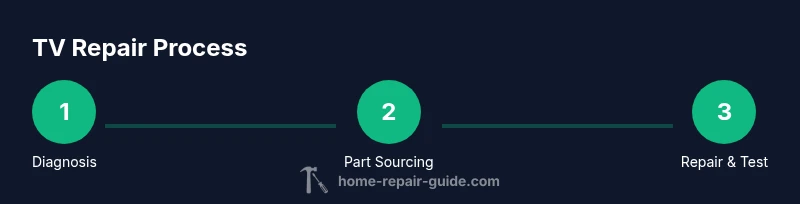
The following diagnostic approach blends safe DIY checks with decisions about professional help. Start by powering off and unplugging the TV, then examine the power supply for signs of damage. Check standby behavior and verify that the device responds to the remote or front panel controls. Next, test inputs and cables: try multiple HDMI ports, devices, and sources to eliminate signal-source issues. If the screen remains black, listen for subtle audio cues or fan noise that might indicate internal activity. Open the chassis only if you are confident in handling internal electronics and avoiding shock hazards; inspect connectors for looseness, burns, or corrosion. When you reach the power or main boards, document part numbers and take macro photos for reference. If you notice swollen capacitors, burnt smells, or cracked solder joints, stop and call a professional—these are signs of dangerous issues. Finally, compare estimated repair costs to replacement costs and consider the model’s age and feature set.
When to call a professional: red flags
Certain signs warrant professional intervention rather than DIY work. If you detect smoke, a burning odor, or a strong electrical tingle when touching the chassis, immediately unplug the unit and contact a licensed technician. If you notice swollen capacitors, overheating, a humming power supply, or flickering backlights, repair work may require specialized equipment and safety procedures beyond basic tools. Display issues involving high-voltage circuits or a cracked screen also fall into professional territory, as improper handling can cause further damage or personal injury. Warranty coverage can influence the decision; if the device is still under warranty, pursuing authorized service is typically the safest route. For everything else, a careful risk assessment and a clear cost-benefit analysis will guide you toward the best outcome.
Cost considerations and budgeting for television repair service
Budgeting for television repair starts with a clear accounting of potential costs. Typical factors include diagnostic fees, labor time, replacement boards, and any required safety testing. Since prices vary by model, region, and the technician’s rate, it’s wise to obtain multiple quotes and ask for a breakdown of parts and labor. Compare these estimates to the price of a similarly featured replacement and consider the TV’s age, expected remaining lifespan, and energy efficiency. If the repair would approach or exceed replacement value, or if core components are likely to fail soon, replacement may be the better financial choice. Make sure to ask about warranty on repaired components and the availability of refurbished or factory-approved parts. Home Repair Guide analysis suggests that informed homeowners who request cost breakdowns and part-level quotes tend to secure fair pricing and avoid post-repair surprises.
Maintenance to extend TV life
A proactive maintenance routine helps keep TVs performing longer and reduces the likelihood of recurring issues. Regular dusting of vents prevents overheating, and keeping the TV in a cool, well-ventilated space supports longevity. Avoid placing the unit in direct sunlight or near heat sources, which can degrade backlights and plastics. Use surge protection to guard against voltage spikes and turn off the TV when not in use to reduce wear on the power supply. Periodic software updates keep smart TV features secure and efficient, and annual firmware checks can resolve compatibility issues with streaming devices. Finally, treat the screen gently—use protective filters if you have young children or pets and schedule professional checkups if you notice persistent performance changes.
Tools & Materials
- Multimeter(Used to check voltages and continuity on power-related components)
- Insulated screwdriver set(Phillips and flat-head bits for chassis screws)
- Plastic opening tools / spudger(For prying casings without scratching surfaces)
- Small flashlight or headlamp(Illumination for inside panels)
- Anti-static wrist strap(Minimizes static discharge on sensitive boards)
- Safety goggles(Eye protection in case of panel pops or debris)
- Camera or smartphone(Document connections and layout before disassembly)
- Labeling supplies (pockets/zip bags)(Keep track of screws and connectors)
Steps
Estimated time: 45-70 minutes
- 1
Prepare the workspace
Clear a clean, dry table and gather all tools. Unplug the TV from the wall and ensure the power cord cannot be re-energized by a nearby outlet. Take a few photos of the rear panel layout for reference before disconnecting anything.
Tip: Label cables and use a tray to keep screws organized. - 2
Power down safely and unplug
Disconnect the power source and wait at least several minutes to allow stored energy to dissipate. If you suspect a power supply issue, avoid touching live components and use insulated tools only.
Tip: Always confirm the device is unplugged and the chassis is de-energized before opening. - 3
Check basics: power, standby, and inputs
Verify the standby indicator behavior and test with different input sources. If the screen remains black but the standby light blinks, there may be a backlight or main board fault rather than a display issue.
Tip: Use a known-good remote to rule out remote control problems. - 4
Inspect external connections and cables
Reseat all HDMI, USB, and power cables. Look for damaged connectors and replace any frayed cables. A loose connection can mimic more serious failures.
Tip: Power off, unplug, and reseat each connector one at a time. - 5
Access internal components cautiously
If you proceed inside the chassis, ensure you use anti-static precautions and keep track of screws. Visually inspect the power board for bulging capacitors, burns, or melted coatings. Do not attempt capacitor discharge with bare hands.
Tip: Document part numbers and take close-up photos before removing parts. - 6
Decide next steps and plan actions
If you identify a clearly failed component, you can search for a compatible replacement or consult a professional for parts sourcing. When uncertain, obtain multiple quotes and compare with the cost of a replacement.
Tip: If in doubt about safety, stop and contact a licensed technician.
FAQ
What is a television repair service?
A TV repair service diagnoses and fixes defective components in televisions, from power boards to display panels. Technicians assess symptoms, source compatible parts, and test the unit after repair to ensure proper operation.
A TV repair service diagnoses and fixes defective parts in televisions, testing the unit afterward to ensure it works like new.
When should I repair vs replace my TV?
If repair costs are reasonable, the model is still meeting needs, and parts are available, repairing can be cost-effective. If replacement would be close to or cheaper than repairs or the set is old, replacement may be a better option.
Repair if costs are reasonable and parts exist; otherwise, replacement might be smarter, especially for older models.
How long does TV repair typically take?
Repair time varies with issue complexity and parts availability. Some diagnostics and fixes can be completed within days, while more involved board replacements may take longer depending on supply.
Time varies; some repairs are quick, others depend on parts availability and scheduling.
What safety considerations should I follow for DIY repairs?
Always unplug the TV and work on a non-conductive surface. Avoid touching high-voltage areas, use insulated tools, and wear eye protection. If you’re unsure, seek professional help.
Unplug the TV, work on a non-conductive surface, and if in doubt, call a professional.
Can DIY guides replace professional service?
DIY guides can help with basic troubleshooting and minor fixes, but complex repairs involving high voltage or fragile panels should be handled by a professional to prevent injury or further damage.
DIY guides help with simple checks, but complex repairs should be left to pros.
Do warranties cover TV repairs?
If the TV is under warranty, contact the manufacturer or an authorized service provider for coverage. Some parts or service may be excluded, so confirm terms before proceeding.
Warranties can cover repairs with authorized service; verify terms before proceeding.
What should I ask a repair technician for?
Request a diagnostic report, a transparent parts and labor quote, expected turnaround times, and warranty information on the repair work.
Ask for a clear diagnostic report, quotes, turnaround times, and repair warranties.
Watch Video
Key Takeaways
- Diagnose clearly before deciding repair vs replacement.
- Keep safety as the top priority.
- Document symptoms for accurate quotes.
- Compare repair costs with replacement options.
- If in doubt, involve a professional.