Samsung Repair Dishwasher: A Step-by-Step Home Fix Guide
Learn to diagnose, repair, and safely service a Samsung dishwasher with practical, model-aware steps, tool access, and maintenance tips from Home Repair Guide. Understand common symptoms, DIY limits, and when to call a pro for durable, cost-conscious repairs.


According to Home Repair Guide, you can diagnose common Samsung dishwasher problems, decide if a DIY repair is appropriate, and follow a safe, step-by-step workflow to service the appliance. Start by unplugging the unit, gathering basic tools, and then inspect the pump, float switch, door latch, and filter before testing a wash cycle.
Common Samsung dishwasher issues and what they mean
Samsung dishwashers, like many modern appliances, communicate faults through symptom patterns rather than single causes. In this section we cover frequent problems homeowners encounter, including symptoms, likely causes, and practical next steps. Common signs include a dishwasher that won’t start, a unit that runs but leaves dishes dirty, persistent leaks, unusual noises, and poor draining. For each scenario, we outline diagnostic questions and what you can safely check without specialized tools. This guidance is designed for homeowners and renters who want reliable, step-by-step troubleshooting. According to Home Repair Guide, most kitchen-dishwasher complaints revolve around problems with power, door interlock, drainage, or the pump assembly, and addressing these areas first can save time and money.
Safety first: unplug, power, water, and leaks
Before touching any internal components, power down the machine and unplug. If you will inspect water connections, turn off the hot water supply first and keep the area dry. Place towels to catch residual water and use a flashlight to inspect seals and connections. Never bypass safety switches or door interlocks. If you smell burning or see damaged cords, stop immediately and seek professional help. This safeguard mindset protects you and the appliance, especially when working around water and electricity.
Tools and spare parts you may need
Having the right tools ready makes repairs safer and faster. Essential items include a Philips head screwdriver, a nut driver set, needle-nose pliers, a multimeter for basic electrical checks, and a flashlight for dark corners. A bucket and towels help manage leaks. Replacement parts you might need, depending on diagnosis, include a pump or impeller, a new door latch or interlock, a float switch, and a cleanable filter. Make sure any replacement parts are compatible with your Samsung dishwasher model before purchase. If in doubt, consult the model’s manual or a trusted guide such as Home Repair Guide for model-specific guidance.
Diagnostic workflow: drain, pump, and sensors
A structured diagnostic flow reduces guesswork and risk. Start by checking if the dishwasher drains when unloaded. Listen for the pump motor and look for clogs in the sump. Inspect the filter and spray arms for debris that blocks water flow. Use a multimeter to test for continuity on the door interlock and float switch, following the manufacturer’s tolerance specs. If readings are out of range, replace the faulty component. Document each finding with notes and photos so you can track what you changed and why.
Inspecting the door latch and interlock
A faulty door latch is a frequent reason a Samsung dishwasher won’t start. Visually inspect the latch for wear, broken tabs, or misalignment. Test the interlock switch with a multimeter or a temporary bypass only if you know the risks; in most cases, replacement is the safer route. Realign or replace the latch as needed and re-test the door seal for proper closure. After replacing, run a short cycle with no dishes to confirm the door engages correctly.
Replacing a faulty inlet valve or pump
If water fails to fill or drains slowly, the inlet valve or pump components may be defective. A replacement typically involves disconnecting water supply lines, removing the pump assembly, and installing the new part according to the model instructions. Take care to re-seat gaskets to prevent leaks and use anti-siphon measures if required. Reattach electrical connectors firmly, then restore power and run a test cycle with a towel under the area to catch leaks.
Cleaning and maintenance to prevent future problems
Prevention is cheaper than repair. Clean the filter, spray arms, and sump regularly to prevent buildup that reduces water flow. Check door seals for cracks and replace as needed. Run hot-water cycles occasionally to clear mineral deposits. Use only recommended detergents and avoid overloading the rack. Keeping the machine clean and the water supply stable reduces recurring issues.
How to run a safe test and verify results
After any repair, perform a controlled test run. Start a short cycle with no dishes and observe for leaks, unusual noises, or error codes. Check the dishwasher’s interior after cycle completion and ensure water drains and the door seals well. If an error code appears, consult the model’s manual or Home Repair Guide’s troubleshooting sections for code meanings and fixes.
Next steps and support options
If the test run passes and you’ve addressed the symptoms, monitor the dishwasher’s performance for a few days. Keep a repair log for future reference and consider scheduling annual maintenance. For readers who want structured guidance and model-specific advice, the Home Repair Guide team offers detailed tutorials and checklists to keep appliances running reliably.
Tools & Materials
- Phillips-head screwdriver (PH2)(Clean tip; used for most screws on access panels and internal components)
- Nut driver set(Various hex/torx sizes for clamps and fittings)
- Flat-head screwdriver(Gently pry panels or loosen stubborn fasteners)
- Needle-nose pliers(Grasp hoses and connectors in tight spaces)
- Multimeter(Check continuity on interlocks and sensors)
- Bucket and towels(Contain leaks and keep work area dry)
- Replacement parts (as diagnosed)(Pump/impeller, door latch/interlock, float switch, inlet valve)
Steps
Estimated time: 60-90 minutes
- 1
Power down and gain access
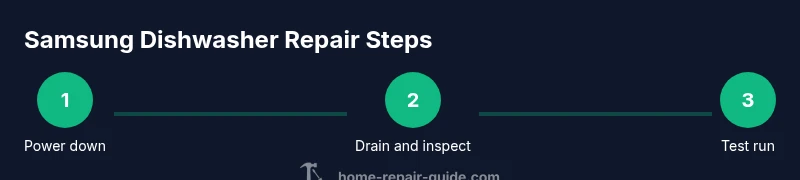
Unplug the dishwasher at the outlet and, if needed, switch off the circuit breaker. Move the unit slightly to access the back panel or toe-kick area. Remove the kick plate if present to reach pumps and hoses. The goal is a safe, accessible work area before any disassembly.
Tip: Label connectors with tape before disconnecting them to simplify reassembly. - 2
Check the drain pathway
Inspect the drain hose and sump for clogs or kinks. Remove any debris from the filter and spray arms that may impede drainage. A clear drain path is essential before testing other components.
Tip: Gently detach hoses to avoid damaging clamps; keep a bucket underneath to catch residual water. - 3
Test the pump and impeller
Visually inspect the pump for cracks or wear. If accessible, gently rotate the impeller to check for freedom of movement. Use the multimeter to verify motor continuity if you suspect electrical failure.
Tip: If the impeller is stuck or damaged, replace the pump assembly rather than forcing movement. - 4
Check the float switch and sensors
Locate the float switch and any water level sensors. Test them with a multimeter or by manually lifting the float to simulate a fill cycle. Look for signs of wear, corrosion, or mineral buildup.
Tip: Do not bypass sensors; faulty readings can cause overflows or door issues. - 5
Inspect the door latch and interlock
Examine the door latch for wear, cracks, or misalignment. If the interlock shows signs of failure, replace it rather than attempting a risky bypass.
Tip: Ensure the door seals well; a poor seal can mimic a non-start condition. - 6
Replace defective parts
If diagnosis reveals a faulty inlet valve, pump, or latch, install the replacement part following the manufacturer’s instructions. Re-seat gaskets and connectors securely to prevent leaks.
Tip: Use anti-seize compounds sparingly and avoid overtightening clamps. - 7
Reassemble and seal
Carefully reassemble all panels, reconnect electrical connectors, and verify there are no loose parts. Replace the toe-kick or access panels and restore power.
Tip: Double-check that hoses are routed correctly and not kinked during reassembly. - 8
Run a test cycle
With no dishes inside, run a short cycle to verify proper operation, draining, and sealing. Check for leaks and listen for unusual noises. If everything performs correctly, proceed to normal use.
Tip: Monitor for a full cycle and check for codes in the display during the test run.
FAQ
Why won't my Samsung dishwasher start after a repair attempt?
A non-start condition after a repair often points to a door interlock, control panel, or safety switch that wasn’t reset correctly. Re-check the interlock wiring, reseat the control board connections, and ensure the door seals are intact before testing again.
If it still won’t start, check the door interlock and control panel connections, then reseat the door seal and try again.
How can I tell if the pump is failing without disassembly?
Look for persistent draining issues, unusual motor noise, or water remaining in the tub after a cycle. If visible signs show wear or the impeller doesn’t spin freely, replacement is usually required.
If you hear grinding or no water movement, the pump or impeller is likely failing.
Is it safe to use household tools for Samsung dishwasher repairs?
Yes, with caution. Use insulated tools, unplug the unit, and follow manufacturer guidelines. Avoid live circuits and high-pressure water contacts when not trained.
Tools are fine if you unplug first and follow the manual.
When should I replace parts rather than attempt another repair?
If a single part repeatedly fails or multiple components show wear, replacement is often more cost-effective and reliable than repeated repairs.
If failures recur or multiple parts wear, replacement is usually best.
What maintenance helps prevent future dishwasher problems?
Regular cleaning of filters, spray arms, and seals, using the right detergent, avoiding overloading, and running occasional hot-water cycles can extend dishwasher life.
Keep filters clean, don’t overload, and run hot-water cycles from time to time.
Does Home Repair Guide offer model-specific Samsung guidance?
Yes. Home Repair Guide provides model-aware troubleshooting and step-by-step tutorials tailored to Samsung dishwashers, helping you address the most common issues accurately.
We offer model-specific guides to help you repair your Samsung dishwasher safely.
Watch Video
Key Takeaways
- Disconnect power before any repair work
- Diagnose root cause before replacing parts
- Test with a dry run (no dishes) to confirm repair
- Document findings and parts replaced for future maintenance
- Use model-specific parts to protect warranty and performance