Repair Assistant: A Practical Guide for Home Repairs
Discover how a repair assistant guides homeowners through safe, efficient repairs with checklists, workflows, and troubleshooting prompts. Learn to choose, implement, and maintain reliable guidance for durable results from Home Repair Guide.


A repair assistant is an interactive guide that helps homeowners plan, perform, and verify home repairs with step-by-step directions, safety checks, and reusable checklists. It reduces guesswork, errors, and waste by providing structured workflows and practical how-tos. This article by Home Repair Guide shows you how to choose, set up, and use one effectively.
What is a repair assistant?
A repair assistant is a digital or guided system designed to support you through home repair tasks. It combines diagnostic prompts, task libraries, safety checklists, and step-by-step workflows to help you plan, execute, and verify repairs with confidence. The goal is to reduce ambiguity, lower the risk of injury, and promote durable results by outlining concrete actions rather than vague advice. According to Home Repair Guide, a well-chosen repair assistant can become a trusted companion for common maintenance chores and more complex projects, turning uncertainty into a repeatable process that homeowners and renters can rely on. The tool doesn’t replace your hands-on work; it enhances decision-making, keeps you organized, and helps you identify when professional help is warranted.
In practice, you’ll see features like guided task flows, safety prompts, material checklists, and troubleshooting tips that adapt to your situation. The best systems offer a library of vetted tasks, editable checklists, offline access, and simple ways to save and share project data. For first-time users, the emphasis should be on small, clearly defined tasks that build your confidence before tackling bigger repairs.
Why homeowners benefit from a repair assistant
Homeowners gain clarity and pace when using a repair assistant. By converting a project into a sequence of small, tangible steps, you minimize the risk of overlooking critical details—like turning off power at the breaker before handling electrical components or closing a water supply before removing a faucet. A well-designed assistant helps you assemble the right tools, estimate time, anticipate mistakes, and verify outcomes. It also serves as a repository for future reference, letting you reuse successful approaches for similar tasks.
From a safety standpoint, a repair assistant reinforces best practices. It prompts you to wear appropriate PPE, reminds you to test your work after each step, and provides troubleshooting prompts if results don’t match expectations. For renters, the system can suggest non-destructive, reversible approaches that preserve property integrity while still delivering reliable repairs. The Home Repair Guide analysis suggests that a broad adoption of repair assistants supports more consistent, safer, and cost-effective home maintenance across households.
Key features to look for in a repair assistant
When evaluating options, prioritize features that align with your skills, home size, and typical repair tasks. A strong repair assistant should include:
- A clearly organized task library with search and categorization (plumbing, electrical, carpentry, etc.).
- Interactive step-by-step workflows that adapt to your inputs and provide explicit actions, not guesswork.
- Built-in safety prompts and PPE guidance to reduce risk during common repairs.
- Checklists for tools, materials, and safety gear, with the ability to customize or save favorites.
- Troubleshooting prompts that guide you if a measurement or result is off, with recommended next actions.
- Offline access and simple data export or sharing options for other family members or a handyman.
For reliability, look for sources of authority and a clear process for updating the task library. The Home Repair Guide analysis highlights that up-to-date, vetted content plus a user-friendly interface correlates with higher user satisfaction and better outcomes across a range of domestic repairs.
Choosing the right repair assistant for your home
Start by mapping your common tasks and identifying gaps in your current approach. If you frequently repair plumbing leaks, look for a repair assistant with robust plumbing modules and clear leak-detection guidance. For DIY beginners, prioritize a library that emphasizes safety prompts, basic tooling, and guided, low-risk tasks that build confidence. Consider whether you want cloud-based access or offline functionality, and whether the platform supports exportable notes or sharing with a professional if needed. A trial period or a free tier can help you assess usability, responsiveness, and the relevance of the content to your home.
Read reviews focusing on accuracy of steps, ease of navigation, and the quality of troubleshooting prompts. Check for integration with common tools (e.g., timers, measurement units, photo notes) and for the ability to customize checklists by room or task type. The goal is to find a solution that complements your actual workflow rather than forcing you to adapt to a rigid template.
How to use a repair assistant in practice
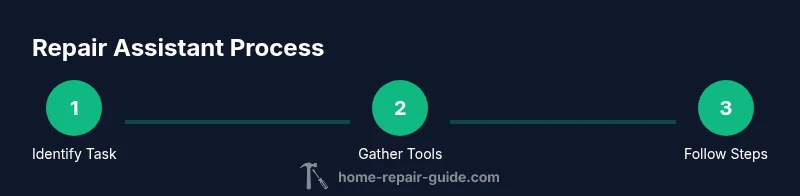
To get started, define the task and confirm the scope before diving in. Use the assistant to gather a materials list, verify tool readiness, and set a rough timeline. As you perform each step, follow the guided actions, perform the safety checks, and mark completion in the app. Use built-in prompts to test the repair and compare results with expected outcomes, then adjust as needed. If you encounter an unexpected variable (e.g., an unusual pipe size or a stubborn fastener), consult the troubleshooting prompts and, if necessary, pause the project to seek professional advice.
Keep detailed notes or photos for future reference. After completing the task, review the checklist, log any lessons learned, and create a quick maintenance plan to prevent recurrence. A well-used repair assistant becomes a personal mentor for future projects, saving time and reducing stress.
Safety considerations and liability
Safety is non-negotiable when performing home repairs. A repair assistant should actively promote risk assessment, PPE usage, and appropriate hazard mitigation. Before any physical work, ensure all energy sources are isolated (power off, water shutoff, gas off where applicable) and verify that your chosen approach complies with local codes. Do not bypass safety prompts or rely on advice that contradicts established guidelines. If a repair involves structural elements or critical systems (electrical, gas, or load-bearing components), seek professional guidance or a licensed tradesperson.
The liability aspect matters too. Use the assistant as a decision-support tool rather than a substitute for professional judgment when documentation, code compliance, or warranties could be affected. Archive the project details for accountability and future maintenance.
Example project: faucet repair walkthrough with a repair assistant
Imagine you’re addressing a drip from a kitchen faucet. The repair assistant guides you to turn off the shutoff valve, relieve pressure, disconnect the supply lines, and inspect the cartridge. It prompts you to take a photo of the faucet model, select your faucet type in the library, and follow a tailored sequence for removing, inspecting, and replacing worn parts. After reassembly, it directs you to check for leaks, re-tighten connections, and record the fix. This example illustrates how the tool can streamline a common task while maintaining safety and accuracy.
Integrating repair assistants with your workflow
Integrate gradually by aligning the assistant with your existing repair routine. Use it for planning and pre-work checks, then transition to hands-on tasks with the guided steps. Synchronize your maintenance calendar with the tool to schedule routine checks, calibrate reminders, and keep a log of completed repairs. Over time, your library will grow with your projects, and the assistant will offer more tailored guidance based on your history and preferences. Regular updates from the provider ensure you benefit from new modules and improved safety protocols.
Tools & Materials
- Adjustable wrench set(Include varying jaw sizes to fit different fittings)
- Screwdriver set (Phillips and flat)(Include magnetic tip accessories)
- Pliers (needle-nose and slip-jritz)(Needle-nose for precision, slip-joint for grip)
- Multimeter (for electrical checks)(Only if you’re comfortable with electrical tasks)
- Safety gear (gloves, goggles)(Impact-resistant for construction tasks)
- Flashlight or headlamp(Bright, hands-free preferred)
- Rags or towels(For cleanup and leak containment)
- Bucket and towels for leaks(Keep water contained during tests)
Steps
Estimated time: 60-90 minutes
- 1
Define the task and scope
Begin with a clear problem statement. Identify what success looks like, potential constraints, and any safety concerns. Document the current condition with notes or photos to guide the repair assistant.
Tip: State the task in one sentence and note any safety hazards. - 2
Gather tools and materials
Use the repair assistant’s checklist to assemble needed items before starting. Double-check compatibility with your system or fixture, and have backups for common wear parts on hand.
Tip: Lay out items in a dedicated work zone to stay organized. - 3
Ensure safety and power-down
Turn off the relevant energy sources (electric, water, gas) and lockout devices where applicable. Confirm zero energy before touching components.
Tip: Test circuit with a non-contact tester if possible. - 4
Follow the guided steps
Work through the repair assistant’s sequence in order. Do not skip steps; rely on prompts for safety checks and measurements.
Tip: If a step doesn’t match your fixture, pause and verify model compatibility. - 5
Inspect and test after each stage
Check connections, seals, and overall integrity. Run a non-destructive test where you can watch for leaks, vibrations, or unusual sounds.
Tip: Document each test with photos or notes for future reference. - 6
Adjust as needed
Use troubleshooting prompts if results don’t meet expected performance. Reassess part compatibility or technique before proceeding.
Tip: Avoid forcing components; misalignment often causes more damage. - 7
Finalize and secure
Reassemble fixtures, tighten to recommended torque if known, and restore energy sources. Re-check all safety devices and ensure no tools remain in the work area.
Tip: Keep a small maintenance checklist for the fixture. - 8
Document and plan maintenance
Record what was done, date, model numbers, and any follow-up actions. Schedule a quick maintenance check to prevent future leaks or failures.
Tip: Create a simple, repeatable template for future repairs.
FAQ
What is a repair assistant and how does it work?
A repair assistant is a guided tool that provides step-by-step tasks, safety prompts, and checklists to help you plan and perform home repairs. It’s designed to reduce guesswork and promote durable outcomes by guiding you through each step and testing results as you go.
A repair assistant is a guided tool that provides step-by-step tasks and safety prompts to help you perform home repairs more confidently.
Do I need to be handy to use a repair assistant?
No prior expertise is required for many tasks. A good repair assistant offers beginner-friendly workflows, safety prompts, and clear, visual guidance that helps you learn by doing, while also pointing out when to call a professional.
Most tasks are beginner-friendly with guided steps; you can learn as you go and know when to seek help.
What features should I prioritize when choosing one?
Prioritize a robust task library, clear step-by-step guidance, safety prompts, adjustable checklists, and offline access. A strong option also offers troubleshooting prompts and an easy way to export notes.
Look for a large task library, safe prompts, adaptable checklists, and offline use.
Is a repair assistant suitable for all rooms and systems?
Most repair assistants cover common household systems like plumbing, electrical, and HVAC, but you should verify coverage for your specific fixtures and models before committing.
Check the library for coverage on your fixtures and systems before starting.
Can I use it to plan maintenance schedules?
Yes. Many repair assistants include maintenance reminders and logs, helping you schedule routine checks and track past fixes for ongoing home upkeep.
Yes, use it to plan and log routine maintenance.
What if something goes wrong during a repair?
Pause and reassess with the troubleshooting prompts. If the issue persists or involves safety risks, stop work and consult a licensed professional.
If problems arise, pause and use troubleshooting prompts or seek professional help.
Watch Video
Key Takeaways
- Identify the task clearly before starting.
- Rely on guided steps to minimize errors.
- Prioritize safety and proper tool use at all times.
- Document results for durable, repeatable repairs.