How to Repair Ford ACM: Step-by-Step Guide
Learn how to diagnose and repair the Ford ACM (Air Conditioning Module) with a practical, step-by-step guide from Home Repair Guide. Safety tips, essential tools, and common fixes to restore climate control.


To repair a Ford ACM, start with a safe diagnostic approach, inspect fuses and wiring, and test the climate control module for faults. If the issue is software or actuator-related, reseating connectors or updating software may resolve it. For complex faults, professional reprogramming or module replacement may be required. This guide covers practical, safe steps homeowners can perform.
How the Ford ACM Works
The Ford ACM, or Air Conditioning Module, is the central brain for your climate control system. It receives sensor data from temperature and pressure sensors, commands vacuum or electrical actuators to blend air, and communicates with other vehicle controllers over the CAN bus. In most modern Fords, the ACM manages HVAC modes, fan speeds, and defroster duties, coordinating with the vehicle's comfort features. Understanding how the module fits into the system helps you diagnose failures more accurately. Common failure modes include connector corrosion, software faults, and failing actuators in the blend doors. When you approach ACM repair, remember that the module is a sophisticated electronic unit, not a simple switch box. The Home Repair Guide team emphasizes careful testing and reversible steps to avoid creating new issues.
Symptoms That Signal ACM Trouble
Not all climate-control woes originate in the ACM, but a handful of symptoms strongly suggest a module-related fault. Look for: inconsistent cabin temperature, failure to respond to button presses, calendar-like screen glitches on the climate display, or the system cycling through modes without following your selections. You may also see fault codes in the OBD-II reader indicating 'ACM' or related CAN bus errors. In some cases, the blower runs at full speed or refuses to run, or the temperature setpoints don’t correspond to air coming from the vents. These signals warrant a closer ACM-specific diagnosis rather than assuming a simple fault elsewhere in the HVAC chain.
Safety and Prerequisites
Before you touch HVAC electronics, ensure you follow basic safety: disconnect the negative battery terminal to prevent accidental airbag deployment or short circuits. Work in a well-lit area, and secure the vehicle so it won’t move. Have a service manual or wiring diagram handy, as Ford ACM layouts vary by model year. Use a reset procedure only if you’re confident in what you’re doing, because improper resets can brick modules. If you smell burnt insulation or see melted connectors, stop and seek professional help.
Diagnostic Approach: Tools and Checks
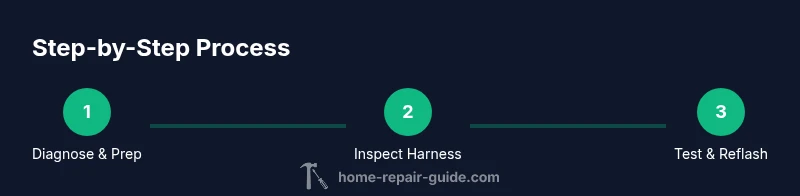
A structured diagnostic approach minimizes guesswork. Start with a fusion of visual inspection and electrical testing. Inspect all ACM-related fuses and fusible links in the interior and engine compartments. Check connectors for corrosion, bent pins, and loose latches. Use a high-quality scanner capable of reading OEM fault codes for Ford systems (or Ford IDS if you have access) to pull ACM-related codes. With the harness unplugged, test for continuity and resistance on common circuit paths, and verify the ground is solid. Document codes and live data to map faults to likely causes. Remember: software faults often mimic hardware failures, so plan for reflash if codes persist after wiring checks.
Common Faults and Repair Paths
The most common ACM faults fall into a few categories: power/signal supply issues, connector corrosion, faulty blend-door actuators, and software or calibration mismatches. Start with power and ground checks, then reseat all ACM connectors and clean corrosion from pins with appropriate contact cleaner. If fault codes point to a specific actuator, test its resistance and operation. For software faults or calibration drift, a module reflash or software update by a qualified technician may be necessary. If module hardware shows signs of damage or water intrusion, replacement with a refurbished ACM may be more reliable than repair. Always test after each repair to ensure the system tracks your climate commands correctly.
Replacing vs Reflashing the ACM
Not every ACM fault can be repaired; sometimes replacement is the safest path. Replacing the ACM is appropriate when the module is physically damaged, water-damaged, or has irreversible software corruption. Reflashing or reprogramming the ACM involves updating firmware to resolve known bugs or calibration drift and should be done with Ford-approved software and procedures. Some faults disappear after a reflash, while others persist, requiring a replacement module to restore full functionality. Verify compatibility with your vehicle’s VIN and other control modules during planning.
Calibrating and Testing After Repair
After any repair or replacement, calibration and testing ensure the ACM operates reliably. Reconnect the battery, clear any stored fault codes, and perform a complete climate test: set target temperatures, switch modes, cycle fan speeds, and verify defrost and recirculation functions. Monitor live data for sensor readings and actuator positions to confirm proper operation. Allow a few minutes for the system to stabilize and recheck for codes. If issues recur, revisit the diagnostic path to avoid chasing symptoms rather than root causes.
Maintenance to Extend ACM Life
Preventive maintenance saves time and prevents headaches. Keep electrical connectors clean and firmly seated, especially seasonally if you drive in dusty or salty environments. Regularly inspect the wiring harness for insulation wear and corrosion in the engine bay and behind the dash. If your climate control behaves sporadically, run a preventative software update through an authorized service. Document symptoms and fixes for future reference, so you can spot patterns early and reduce the risk of repeat failures.
Tools & Materials
- Digital multimeter(Measure continuity and supply voltages to the ACM harness)
- OBD-II scanner with OEM Ford codes(Pull ACM-related fault codes and live data)
- Ford IDS or vendor-compatible software(For official reflashing and calibration)
- Screwdrivers (Phillips and flat-head)(Access panels around the dash and under the console)
- Torx bits set(Certain trim bolts near the dashboard)
- Electrical contact cleaner(Clean pins without leaving residue)
- Dielectric grease(Protect pin contacts after reconnecting)
- Replacement ACM module or connectors (if needed)(Only if diagnosed as faulty)
- Static-safe mat or wrist strap(Prevent ESD damage to modules)
Steps
Estimated time: 1.5-3 hours
- 1
Ensure safety and gather data
Begin by turning off the vehicle and disconnecting the battery negative terminal. Gather fault codes from the OBD-II scanner and note any live data related to the ACM. This establishes a baseline and prevents accidental shorts during testing.
Tip: Document all fault codes before you start; it helps track progress. - 2
Inspect fuses and harnesses
Open the dash and engine fuse panels as needed and check all fuses labeled for HVAC/ACM status. Inspect the climate control harness for loose pins, corrosion, or damaged insulation.
Tip: Look for corrosion or melted insulation; these are common failure points. - 3
Test connectors and ground paths
Disconnect ACM connectors one at a time and inspect pins. Clean with contact cleaner if needed and reseat firmly. Verify ground paths with the multimeter to ensure a solid reference.
Tip: A loose ground can mimic many faults; ensure a solid connection. - 4
Read and interpret fault codes
Use an OBD-II scanner with Ford codes to pull ACM-related fault codes. Cross-reference codes with service literature to map them to likely components.
Tip: Persistent codes after wiring checks point to software or module issues. - 5
Test actuators and sensor inputs
With the harness reconnected, test the blend-door actuators and temperature sensors for expected resistance and response with commanded inputs.
Tip: If an actuator stalls or has excessive play, replacement is recommended. - 6
Attempt a software reflash if indicated
If codes point to software faults, perform a documented software update or reflash through Ford IDS or equivalent tool, following official procedures.
Tip: Follow Ford's process; improper reflash can brick the module. - 7
Decide on repair vs replacement
If faults persist after checks and reflashing, decide whether to repair (replacing small components) or replace the ACM module entirely.
Tip: Always verify replacement part compatibility with VIN and other modules.
FAQ
What is the Ford ACM and what does it control?
The Ford ACM (Air Conditioning Module) is the control hub for climate functions, including temperature, fan speed, and vent modes. It processes sensor data and commands actuators and other controllers.
The ACM is the climate control brain, handling temperature, fan speed, and vent modes based on sensors and inputs.
Can I repair the ACM myself, or should I go to a shop?
Basic checks like fuses, connectors, and software checks can be done at home, but many repairs require specialized tools and software. If faults persist, consider professional service.
You can do simple checks at home, but for software and module work, a shop is often best.
What are common signs of ACM failure?
Inconsistent cabin temperatures, unresponsive climate controls, display glitches, or unexpected mode changes typically indicate ACM-related issues.
Look for temperature swings, unresponsive controls, or display glitches.
Will reflashing fix most ACM problems?
Reflashing can fix software-related faults and calibration drift, but hardware issues or damaged modules may require replacement.
A software update can fix some problems, but hardware damage may need a new module.
How do I ensure ACM compatibility when replacing?
Ensure the replacement module matches your vehicle’s VIN, model year, and allowed control-module compatibility by Ford's documentation.
Make sure the new module matches your car’s VIN and year.
What safety steps should I follow?
Disconnect the battery, avoid airbags circuits when wiring, and work in a dry, well-lit area to reduce shock or shorts.
Disconnect the battery and observe safety when working around airbag circuits.
Watch Video
Key Takeaways
- Diagnose ACM issues with a structured plan
- Check fuses, harnesses, and connectors first
- Software faults mimic hardware problems—consider reflash
- Replace the ACM if refurbishment isn’t reliable
- Test and calibrate after any repair