Samsung Appliance Repair: A Practical How-To Guide
A comprehensive, step-by-step guide for appliance repair for samsung devices. Learn safe DIY diagnostics, common fixes, essential tools, and when to call a pro, with expert tips from Home Repair Guide.


By following this guide, you will learn how to diagnose and perform safe, durable appliance repairs for Samsung models. You’ll diagnose issues, gather essential tools, and complete common repairs on washers, refrigerators, and dishwashers. Before starting, unplug the unit, turn off water supply when applicable, and wear safety gear. The steps below prioritize safety, careful disassembly, and verifying operation after each fix.
Understanding Samsung Appliance Repair: Scope and Safety
appliance repair for samsung encompasses diagnosing issues across a family of products—from front-load washers to French-door refrigerators and high-efficiency dishwashers. This guide uses a practical, homeowner-friendly approach that emphasizes safety first, clear diagnostics, and durable repairs. Home Repair Guide's approach combines model-specific insights with general electrical and mechanical principles so that homeowners and renters can handle common faults without voiding warranties in many cases.
Key safety steps matter more than fancy tools. Always unplug the appliance before touching any components. If the unit has water lines or a compressor, shut off the local supply and, for refrigerant-related concerns, avoid attempting to recover refrigerants yourself. Use protective eyewear and gloves, keep a clear work area, and document each disassembly step with photos. If you encounter signs of refrigerant leaks or unusual noises near the compressor, pause the repair and consult a pro. This is not only about saving money but also preventing injury or further damage. The Home Repair Guide team stresses that patient, methodical work yields reliable results and preserves the appliance’s warranty where possible.
How to Diagnose Common Samsung Appliance Problems
Diagnosing Samsung appliances begins with a structured checklist that can be applied across product lines. Start with power and water connections, then inspect user-access panels, harnesses, and visible seals. For Samsung washers, verify drum integrity and lid or door switches; for refrigerators, listen for compressor activity and check evaporator coils; for dishwashers, confirm water inlet and drainage paths. Record any error codes or unusual beeps and cross-check them with model-specific manuals. The Home Repair Guide approach emphasizes systematic testing, so you can isolate faults without replacing parts blindly. Keep a repair journal to track what was tested, what failed, and what was replaced, which improves future fixes and helps maintain warranty compliance.
Key Samsung Appliance Failure Modes by Category
Samsung appliances fail in recognizable patterns. In washers, you may encounter drum not turning, agitation issues, or error codes related to sensors. Refrigerators often show cooling inconsistencies, ice-maker problems, or unusual frost buildup due to door gaskets. Dishwashers frequently struggle with draining, incomplete cycles, or float switch malfunctions. Each category has typical component wear, such as door seals, filters, water valves, and control boards. Understanding these common failure modes helps you prioritize testing and parts replacement, and aligns with Home Repair Guide’s practical, step-by-step method for appliance repair for samsung.
Process Flow: From Diagnosis to Repair
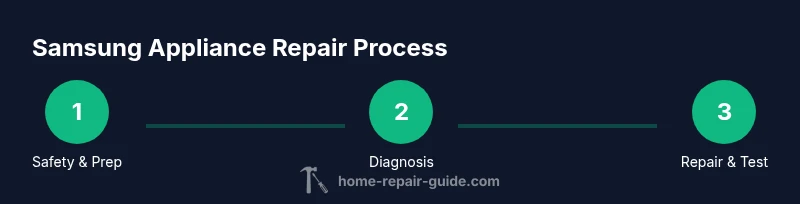
A disciplined repair flow starts with safety checks, followed by diagnosing the fault, selecting the right parts, repairing or replacing components, and testing the unit. Begin with power-down and a physical inspection, then use diagnostic codes or resistance measurements to pinpoint problems. If a part is not performing as intended, verify its function with a controlled test before reassembly. After completing repairs, run the appliance through several cycles to confirm reliability and monitor for leaks, excessive noise, or abnormal odors. Document outcomes to inform future maintenance and troubleshoot more efficiently.
The Role of Tools, Parts, and Safety Gear for Samsung Appliance Repairs
Having the right tools and parts is crucial. A digital multimeter, precision screwdriver set, Torx and nut drivers, needle-nose pliers, wire cutters, and a reliable flashlight are foundational. Ensure you have model-specific replacement parts ready—such as seals, filters, and valves—so you can perform fixes without delays. Safety gear like goggles and gloves protects against sharp edges and electrical hazards. Finally, keep a Samsung service manual or model guide handy for wiring diagrams and torque specifications. By organizing your toolkit and references, you’ll streamline drafts, measurements, and reassembly, improving success rates in appliance repair for samsung.
Case Study: Samsung Washing Machine — Drum Not Spinning
A common Samsung washer issue is a drum that won’t spin. Start by checking the lid switch and drive belt for wear or disconnection. Listen for motor hum or a loud growl, indicating a worn or jammed belt or faulty motor coupling. Use a multimeter to test motor resistance and examine the motor capacitor if present. If the drive belt is intact but the drum remains still, inspect the pulley and transmission for obstruction or damage. Replacing a worn belt or failed capacitor often resolves the issue. Always recheck the drum balance after reassembly to prevent future wear.
Case Study: Samsung Refrigerator — Ice Maker Not Working
Ice maker issues in Samsung refrigerators are frequently caused by a clogged water inlet valve, a faulty ice maker fill valve, or blocked water lines. Start by ensuring the water supply valve is open and listening for the valve click when the ice maker attempts to fill. Inspect the ice mold and ejector blades for cracks or obstructions. If the ice maker motor fails, test for continuity with a multimeter and verify the control board is sending the fill and harvest signals. Replacing a faulty inlet valve or ice maker assembly commonly restores ice production.
Case Study: Samsung Dishwasher — Not Draining
Dishwashers that fail to drain often point to a clogged filter, a kinked drain hose, or a faulty pump. Begin by removing the bottom access panel to inspect the pump and remove any debris from the filter. Check the drain hose for kinks and ensure the garbage disposal or sink drain is clear. With a multimeter, test the drain pump’s continuity and listen for the pump running during the drain cycle. If the pump is dead or the impeller is damaged, replace the pump assembly. After repairs, run a test cycle with no dishes to verify complete drainage and proper water evacuation.
Authority Sources and Further Reading
For safety guidelines and general appliance maintenance standards, consult authoritative sources such as OSHA and government energy and safety resources. While repair specifics vary by model, standard safety practices apply across samsung appliance repairs. Audience members can cross-reference model-specific manuals and official Samsung service documents for repair procedures, torque specs, and wiring diagrams. The Home Repair Guide recommends using trusted external resources to complement hands-on practice and ensure safety during appliance repair for samsung.
Tools & Materials
- Digital Multimeter(Test voltage, continuity, and resistance)
- Precision screwdriver set (Phillips & flat-head)(Assorted sizes for appliance panels)
- Torx and Nut Driver Kit(Common sizes for Samsung panels)
- Needle-nose Pliers(Grip hoses and small connectors)
- Wire Cutters/Strippers(Wiring repairs and cable trimming)
- Flashlight or Headlamp(Bright, focused light for dim interiors)
- Safety Gear (Goggles, Work Gloves)(Eye and hand protection)
- Samsung Service Manual / Model Guide(Model-specific diagrams and specs)
- Replacement Parts (as needed: seals, filters, valves)(Only if diagnosed faulty)
- Electrical Tape & Zip Ties(Organize wires and secure harnesses)
Steps
Estimated time: 60-120 minutes
- 1
Power down and safety prep
Unplug the unit from the wall outlet and, if applicable, shut off the water supply. If the appliance uses a dedicated circuit, switch off the corresponding breaker. Wait 60 seconds to discharge capacitors where relevant and prepare your workspace with good lighting.
Tip: Label cords and take a photo before disconnecting any wires. - 2
Access the area of interest
Open access panels or remove the front/back covers to reach the fault area. Keep track of screws and fasteners by placing them in labeled containers. Use the service manual for exact screw locations and cautions about airflow and wiring routing.
Tip: Avoid forcing panels; use proper prying tools to prevent cracking casings. - 3
Test key circuits and components
With the unit powered down, use a multimeter to test continuity and resistance in suspected components. Check sensors, switches, and valve coils according to the model manual. Document readings and compare them to the specified ranges in the manual.
Tip: Perform diagnostic checks in a logical order to isolate faults quickly. - 4
Replace or repair the faulty part
If a component is faulty, remove and replace it with an OEM part where possible. Recheck the wiring harness connections, and ensure seals and gaskets align without gaps. Reassemble the unit, paying attention to proper torque on disconnects.
Tip: Avoid overtightening screws; use the correct torque spec from the manual. - 5
Reassemble and test
With the cover back on, restore power and run a test cycle. Observe the appliance for leaks, abnormal noises, or error codes. If issues persist, re-run diagnostics and re-verify all test steps.
Tip: Test multiple cycles to confirm durability of the repair. - 6
Document and plan future maintenance
Record the repair details, parts replaced, and any future maintenance tasks. Schedule routine checks (e.g., gasket inspection, filter cleaning, coil dusting) to extend appliance life and reduce future failures.
Tip: Maintain a simple service log for quick future reference.
FAQ
Do I need professional training to perform appliance repairs on Samsung models?
Basic repairs can be attempted by homeowners with caution and reference to the model manual; more complex tasks or warranty concerns may require a professional.
Basic repairs are doable with the manual, but for complex issues or warranty concerns, consider a pro.
Is it safe to diagnose Samsung appliances without unplugging?
Never diagnose or work on live equipment. Always unplug the unit and, when applicable, shut off water and breakers before starting.
Always unplug first and shut off water or breakers before starting.
What are common areas to check first when a Samsung washer won't start?
Check power supply, door/lid switch, and the main control board fuse. If these are OK, inspect the motor and belt for wear or obstruction.
Check power, lid switch, and fuse; if those are fine, inspect motor and belt.
When should I replace parts myself vs call a pro?
If the issue involves high voltage, refrigerants, gas lines, or warranty impacts, contact a professional. Simpler issues like clogged filters or seals can be DIY with care.
For high voltage or refrigerant work, call a pro; simpler fixes you can try yourself.
Where can I find accurate model-specific repair information for Samsung appliances?
Consult official Samsung service manuals or certified guides. Home Repair Guide also provides step-by-step guidance, but always prefer manufacturer documents for exact procedures.
Check Samsung manuals and trusted guides; manufacturer docs have the exact steps.
What safety practices should I follow during appliance repairs?
Wear safety gear, work on a dry surface, and avoid moisture near electrical components. Use appropriate tools and disconnect power before any work.
Wear safety gear, keep things dry, and disconnect power before work.
Watch Video
Key Takeaways
- Always unplug before starting any repair.
- Consult model-specific manuals for correct parts.
- Test critical circuits after each step.
- Document disassembly with photos.
- Know when to escalate to a professional.