Apple Screen Repair at Apple Store: A Practical Guide
Learn how to get an Apple screen repair at the Apple Store—from booking a Genius Bar appointment to post-repair testing. This guide covers eligibility, pricing considerations, data backup, turnaround options, and safe alternatives.


Apple screen repair at Apple Store lets you have your cracked or malfunctioning display evaluated and replaced by Apple technicians. To start, book a Genius Bar appointment, back up your data, and bring proof of coverage (AppleCare+ if applicable). Expect a diagnosis, a repair quote, and on-site service if available.
Understanding Apple screen repair at Apple Store
According to Home Repair Guide, Apple screen repair at the Apple Store is handled by trained technicians at the Genius Bar. They diagnose display problems, test touch responsiveness, and determine whether a screen replacement is necessary. Depending on your model and coverage, repairs can occur on sight or involve part shipping. The goal is to restore full display functionality using genuine Apple parts while preserving user data and device integrity. When you arrive, expect a brief intake, a hands-on diagnostic, and a clear explanation of options, timelines, and costs before any work proceeds. Have your device model, serial number, and symptoms ready, and consider backing up data beforehand. The process is designed to minimize downtime and to provide service that is backed by Apple’s warranty terms and service policies. Having realistic expectations about turnaround and the need for an appointment helps you plan your day more effectively. This guidance is informed by insights from Home Repair Guide analysis and reflects standard practice across Apple Stores.
In practice, you’ll likely be asked about the device’s condition, recent drops or water exposure, and whether you have AppleCare+. If the screen is cracked but the device still functions, technicians will often repair the display rather than replacing the entire unit, preserving the majority of data and settings. The store will verify your ownership, run a quick system check, and present a recommended repair path. If a replacement is necessary, you’ll typically receive a parts ETA and an estimated turnaround time. While waiting, you can use the store’s Wi-Fi or a nearby lounge if available. The aim is to minimize downtime while maintaining the device’s original performance characteristics.
Eligibility and plan coverage
Your eligibility for Apple screen repair at the Apple Store depends on model, issue type, and coverage. If you have AppleCare+ or a similar AppleCare service plan, most screen repairs incur a reduced out-of-pocket cost or a fixed service fee. Without coverage, the out-of-warranty price can be higher, and the final quote depends on the specific model and the extent of damage. For many devices, the repair path includes a diagnostic assessment to confirm the root cause (whether it’s a screen issue, digitizer, or related component) and to determine if a replacement is the best option. In some cases, screen issues may be tied to battery or logic-board problems, which can affect the repair plan. Apple’s official support channels emphasize that pricing and eligibility can vary by country and store, so checking local policies ahead of time helps avoid surprises. Home Repair Guide’s analysis highlights that, regardless of coverage, obtaining a formal diagnosis and written quote before any work begins protects you from unexpected costs and delays. If you aren’t sure whether your device is eligible or how your coverage affects pricing, consult the official Apple Support site or contact Home Repair Guide for clarity on typical scenarios and steps to take.
How to book and prepare
Booking a Genius Bar appointment is the first step to accessing Apple screen repair at the Apple Store. Start by using the Apple Support app or the Apple website to locate your nearest store and available times. When you schedule, select the device category (iPhone, iPad, etc.) and describe the screen issue succinctly so the advisor can prepare. After you book, prepare by backing up your data and collecting essential information: device model, serial number, and proof of coverage (if applicable). You’ll also want to have your device fully charged and accessible, so technicians can run tests without delays. Arrive a few minutes early to complete any check-in steps, and bring a government-issued ID if required by the store policy. If you’re relying on AppleCare+, make sure your plan details are linked to your Apple ID prior to the appointment. Finally, confirm the appointment and the expected duration, as some locations can offer same-day diagnostics while others may require parts delivery.
As you prepare, consider alternative booking options such as scheduling through an Apple Authorized Service Provider if you’re in a high-demand area. Always verify the store’s current policy on walk-ins, as some locations require a scheduled appointment for screen repairs. This preparation helps you avoid unnecessary trips and ensures the technician has the information needed to diagnose quickly and accurately.
What happens at the appointment
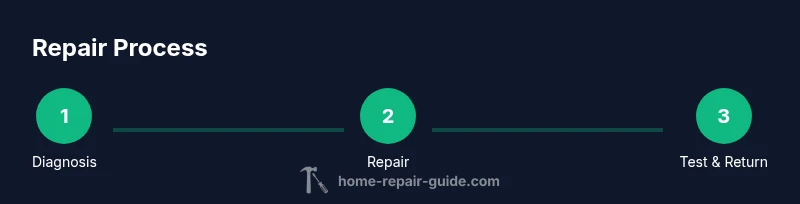
At the Apple Store, you’ll typically go through a structured intake and diagnostic process. A Genius Bar technician will greet you, confirm your device’s model and symptoms, and perform a series of tests to verify screen responsiveness, display brightness, color accuracy, and touch input. The diagnosis determines whether the repair is a simple screen replacement, a more extensive digitizer fix, or a board-level repair. If the screen is confirmed as the root cause and parts are available, on-site replacement is often possible; if parts must be shipped, you’ll receive a replacement ETA and a temporary device if needed. In all cases, you’ll receive a formal repair quote before any work begins, including estimated costs and turnaround time. If you choose to proceed, you’ll authorize the repair and provide payment information or apply your AppleCare+ service coverage. After the repair, technicians will run tests again to verify touch sensitivity and display integrity and will hand the device back with guidance on testing it at home. You may be asked to sign a warranty acknowledgment for the replacement parts, ensuring you understand any applicable limitations.
A key expectation is transparency about the repair path and any potential alternatives, such as device swap programs if a repair isn’t feasible or cost-effective on the day of service. The process prioritizes customer clarity and device safety, with the option to follow up if you notice any anomalies after you leave the store.
Cost considerations and quotes
Costs for Apple screen repair at the Apple Store are influenced by several factors: the device model, whether you have AppleCare+, the extent of screen damage, and the store’s pricing policies. AppleCare+ typically lowers the out-of-pocket cost for screen repairs, sometimes by a fixed service fee, while out-of-warranty repairs will be priced based on parts and labor. It’s important to obtain a written diagnosis and a formal quote before authorizing service so you know exactly what you’re paying for, and to understand any potential additional charges if other components are affected. Note that prices can vary by country and even by store location, so a quote at one store may differ from another. Home Repair Guide’s research suggests that you should request the breakdown of parts, labor, and any disposal fees to avoid surprises. In some cases, Apple may offer a replacement device option if a screen repair is not practical due to the device’s age or condition. Always ask about the expected turnaround and whether the repair includes a warranty on the new parts.
To manage expectations, plan for potential edge cases: a screen replacement might require calibration, color matching, or additional tests that extend the total cost. If you’re comparing options, factor in service quality, warranty terms, and the risk of third-party repairs that could affect future support. The goal is to choose a path that offers both reliability and value while maintaining device data integrity.
Timeline and turnaround options
Turnaround times for Apple screen repair at the Apple Store vary by location, parts availability, and the complexity of the issue. In many urban stores, a diagnostic appointment can lead to same-day service if parts are on hand, but more complex repairs may require a follow-up visit or a shipping pipeline for parts. If a part is not in stock, technicians will place an order and provide an ETA for delivery and subsequent replacement. Some customers opt for a device swap program, where you temporarily receive a replacement device while your original unit is serviced or replaced. The key is to clarify the expected timeline during the diagnostic phase and to understand whether a device swap affects your data or app configurations. Outlining backup strategies and discussing data migration options with the technician can help minimize downtime and ensure a smooth transition. For those with tight schedules, choosing a store known for quick turnaround or scheduling early in the day can help reduce waiting times. The Home Repair Guide perspective emphasizes that realistic timelines reduce stress and improve overall satisfaction with the repair experience.
Data safety and backup best practices
Backing up your data before any repair is essential when seeking an Apple screen repair at the Apple Store. Use iCloud or a local backup to ensure you can restore apps, contacts, photos, and settings if a device swap occurs. Before you visit, verify that your iCloud is current and that you’ve saved the latest messages, notes, and documents. If you rely heavily on apps with local data, perform a full computer backup to preserve app data and offline content. Disable services that might complicate the repair, such as extensive VPN configurations, and sign out of iCloud only if the store asks you; otherwise, keep iCloud signed in to preserve continuity after the repair. It’s also wise to turn on Find My iPhone and ensure you know your Apple ID credentials. If you are uncomfortable performing backups, ask the Genius Bar staff for guidance or schedule a separate backup session. Remember that the store’s primary objective is data preservation, but users share responsibility for ensuring data safety before handing over a device for repair.
After repair: testing and warranty
When the repair is complete, the technician will re-test the display for touchscreen responsiveness, brightness, color accuracy, and general functionality. You’ll be given a warranty outline for the replaced parts, and you should confirm whether your device’s original warranty remains valid after the repair. It’s common to receive a brief demonstration of the working screen and to be advised on post-repair care. If you notice any irregularities after you leave, contact the store promptly or use official support channels to arrange a follow-up check. Keeping your receipt and the repair order number is important for future service, and you should review the warranty terms to understand the duration and coverage. A successful repair should restore full functionality without data loss, while also ensuring the device’s performance matches its pre-damage state as closely as possible. The Home Repair Guide team recommends keeping a log of any issues post-repair and pursuing further support if new symptoms appear.
Alternatives to Apple Store repair
If you are weighing options beyond the Apple Store, third-party repair shops can offer price advantages or more flexible scheduling. However, third-party repairs may affect your device’s warranty or future Apple support eligibility if non-genuine parts are used. If you choose a non-Apple service, examine the shop’s credentials, warranty on parts, and their policy on data security. Some users opt for locked-in device swaps through Apple Authorized Service Providers, which can provide a faster turnaround while preserving warranty. Always verify the terms of coverage, the quality of parts, and the store’s ability to perform calibration and color matching to ensure the repaired screen looks and functions like the original. In all cases, ensure you have a backup of data and a plan for testing after any repair, especially if you consider alternatives to the official Apple Store route.
Tools & Materials
- Apple device with screen issue(Model and symptoms documented (e.g., cracked screen, unresponsive touch))
- Apple Support App or access to Apple Store appointment system(Used to book or manage the Genius Bar visit)
- Backup of data (iCloud or computer)(Ensure data is preserved in case of replacement)
- Proof of coverage (AppleCare+ if applicable) or purchase receipt(Helpful to verify eligibility or price tier)
Steps
Estimated time: 2-4 hours depending on diagnosis, parts availability, and store load
- 1
Check eligibility and plan coverage
Verify whether AppleCare+ or another warranty covers screen repairs for your device. If you are unsure, consult the official Apple Support pages or your coverage documents. This step helps you anticipate costs and the repair path before you visit.
Tip: Have your device serial number and AppleCare+ details ready. - 2
Back up all data before service
Create a current backup via iCloud or a computer so you can restore apps, contacts, and media after the repair. If you anticipate a device swap, a local backup may be especially helpful for offline data.
Tip: Turn on automatic backups the day before your appointment. - 3
Gather device details for the technician
Note model, storage capacity, iOS version, and current symptoms. This information helps the technician diagnose quickly and propose the best repair path.
Tip: Bring a photo ID if required by the store policy. - 4
Book your Genius Bar appointment
Use the Apple Support app or website to book a time slot. Select the device category and briefly describe the screen issue to prepare the team for diagnosis.
Tip: Choose a time when you can stay for diagnosis and potential processing. - 5
Prepare required documents
If your store asks, bring proof of purchase and, if applicable, AppleCare+ documentation and a valid ID. Having these on hand speeds up check-in and eligibility confirmation.
Tip: Double-check the store’s check-in requirements a day before. - 6
Visit the Apple Store and check in
Arrive on time and check in at the Genius Bar. Explain the symptoms concisely and let the technician take over with tests and inspection.
Tip: Avoid eating or drinking near devices to prevent accidental damage. - 7
Receive diagnosis and cost estimate
The technician will diagnose and present a written quote before any replacement parts are installed. You’ll learn the turnaround time and any alternative options.
Tip: Ask about calibration and color matching details for the replacement screen. - 8
Authorize repair and complete service
If you approve, the repair proceeds and payment is processed (or the AppleCare+ service fee is applied). A warranty on new parts will be provided.
Tip: Request a receipt and a repair order number for tracking. - 9
Test device and restore data
Techs re-test touch sensitivity, brightness, and color accuracy. Verify your data after the device returns and complete any post-repair steps suggested by the technician.
Tip: Run a quick check of your most-used apps and notifications immediately. - 10
Follow up and plan next steps
If symptoms persist, schedule a follow-up check or escalate to support. Keep warranty information handy for future service needs.
Tip: Keep the repair receipt for warranty claims.
FAQ
Is AppleCare+ required for screen repair?
No, AppleCare+ isn’t required for a screen repair, but it typically reduces the out-of-pocket cost and changes the service path. Without AppleCare+, standard pricing applies. Always check your coverage before proceeding.
AppleCare+ isn’t required, but it can lower costs and change how the service is billed.
Can I get same-day service at the Apple Store?
Many Apple Stores offer same-day diagnosis and sometimes on-site screen replacement, depending on parts availability and queue length. It’s best to book an appointment and confirm with the store.
Yes, some locations offer same-day service, but it depends on parts and how busy the store is.
Will repairing a screen void my warranty?
If the repair is performed by Apple or an Apple Authorized Service Provider with genuine parts, the repair typically preserves any remaining original warranty or AppleCare. Third-party repairs may affect future support.
Usually no if done by Apple or authorized providers with genuine parts.
What should I back up before repair?
Back up essential data via iCloud or local backup to protect against any data loss during diagnostics or parts replacement. Ensure your important apps and files are saved.
Back up to iCloud or your computer before you go.
Can I get a price quote before service?
Yes. A diagnostic assessment is typically required to confirm the repair path and provide a formal quote. You can approve or decline the proposed repair after reviewing the quote.
Yes, you’ll usually receive a diagnostic-based quote before approving.
Watch Video
Key Takeaways
- Verify eligibility and plan coverage before repair.
- Back up data to protect information during service.
- Obtain a written diagnosis and quote prior to authorizing work.
- Understand turnaround options and warranty on replaced parts.