Camera Repair Guide for Homeowners
A comprehensive, safety-focused guide to diagnosing, repairing, and maintaining cameras at home. Learn tools, step-by-step workflows, and maintenance tips to extend camera life without compromising warranties.


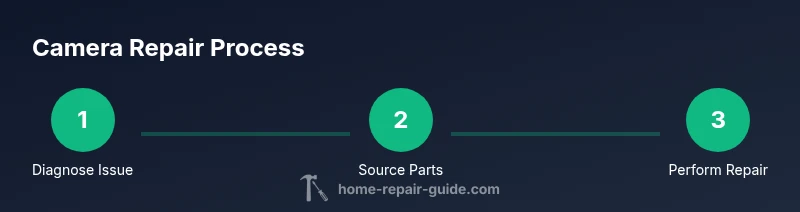
You can diagnose and fix common camera issues at home by following a safe, methodical repair process. This guide covers essential tools, a clear step-by-step workflow, and practical maintenance tips to help you restore performance. By understanding diagnostics, safe disassembly, and careful part replacement, you’ll reduce downtime and protect your investment. Always start with battery removal and a static-free workspace.
What is camera repair and when does it make sense?
Camera repair is the process of diagnosing hardware or optical issues in a camera and restoring it to its intended function. It covers a range of tasks from simple cleaning and firmware updates to more involved disassembly for component checks. For most homeowners and hobbyists, small issues such as stuck shutters, blurry autofocus, or dead batteries are common repair targets. The Home Repair Guide team emphasizes a practical, safety-first approach: assess the problem, verify warranty status, and avoid irreversible alterations when in doubt. According to Home Repair Guide, starting with the simplest fixes can save time and money while preserving the device’s resale value and reliability. This article focuses on non-industrial repairs suitable for model ranges from compact point-and-shoots to mid-range DSLRs, while acknowledging that some situations require professional service.
Diagnosing common camera problems and how to verify them
Cameras present a mix of electronic and optical problems. Typical symptoms include: no power, intermittent power, improper exposure, autofocus failures, and lens stiction. Begin by confirming power status: remove the battery, inspect for corrosion, and test with a fresh battery if available. If the camera still won’t power on, rule out the grip, battery contacts, and memory card issues. For imaging problems, check sensor cleanliness, lens alignment, and firmware version. If autofocus fails, inspect the AF module alignment and ensure no debris blocks the lens. Such diagnostics help distinguish between a simple cleaning task and a component replacement. Home Repair Guide analysis shows that a systematic check is more effective than random part swapping and reduces the risk of additional damage.
Safety first: handling cameras and batteries
Cameras house delicate electronics and sometimes high-voltage components in flashes. Always work in a static-free environment and reset by removing the battery before touching any internal parts. Use an anti-static wrist strap and a clean, dry workspace to prevent moisture or dust from entering the device. Never force a cover loose or pry components with metal tools. If you encounter condenser capacitors or large film-capacitors, avoid rapid discharges; consult the service manual. Safety notes also include proper disposal of damaged batteries and avoiding water exposure near circuitry. By adopting a careful, methodical approach, you minimize personal risk and protect sensitive optics.
Tools, workspace, and safety gear you’ll need
Prepare a dedicated repair area with good lighting and low dust. Essential tools include a precision screwdriver set, spudger, non-magnetic tweezers, an ESD-safe wrist strap, a soft brush, compressed air can, microfiber cloth, and model-specific replacement parts. A labeled container for screws and a parts tray help keep components organized. Use a static-dissipative mat if your workbench is metal. Where possible, keep a spare battery and memory card on hand to test functionality as you progress. This section also covers best practices for tangibly reducing risk during disassembly and reassembly.
Understanding warranties and when to seek professional help
Many cameras carry a warranty that may cover certain failures but not cosmetic or user-caused damage. If your device is under warranty, contact the manufacturer or an authorized service center before opening the housing. Even when not under warranty, some repairs can compromise seals or sensor alignment if performed incorrectly. In such cases, a professional repair service may save you time and avoid voiding the warranty. The Home Repair Guide team recommends weighing the cost of parts and your time versus a professional quote, particularly for high-value cameras or models with complex modular components.
Sourcing parts, compatible replacements, and ethical considerations
Finding authentic, model-specific parts is crucial to a successful repair. Start with the manufacturer’s spare parts catalog or authorized distributors. Be cautious with aftermarket or third-party parts; they can vary in fit and performance. If a part is discontinued, consult reputable repair communities for compatibility notes and documented interchangeability. Always verify the model number, serial, and revision level before ordering. The goal is to restore original performance, not merely to achieve a temporary fix. This section helps you identify trustworthy sources and validate part compatibility.
Maintenance routines to extend camera life and prevent future issues
Prevention is the best repair. Regular sensor cleaning with appropriate tools, careful lens maintenance, firmware updates, and proper storage practices dramatically reduce risk of future failures. Keep cameras in a cool, dry place away from direct sunlight and moisture. Clean sensor surfaces only with manufacturer-approved methods, and avoid touching delicate surfaces. Schedule periodic checks of seals, O-rings (where applicable), and battery contacts to catch wear before it causes a larger problem. The goal is to build a predictable maintenance routine that minimizes downtime and preserves image quality.
Authority sources and further reading
To support safe, informed repairs, consult authoritative resources and manufacturer guidelines. For safety-related guidelines and consumer protection tips, see the following sources:
- https://www.cpsc.gov
- https://www.ftc.gov
- https://www.osha.gov
These references offer general best practices for electronics handling, consumer safety, and equipment maintenance that complement model-specific repair steps. Always cross-check with your camera’s official manuals and service notes for model-specific requirements.
Tools & Materials
- Precision screwdriver set (flat and Phillips)(Phillips #00 or #0 depending on screw size; include Torx bits if your model uses them)
- Spudger and plastic opening tools(Non-conductive tools to avoid short circuits)
- ESD-safe wrist strap(Connect to an grounded mat or surface while working)
- Non-magnetic tweezers(For handling small screws and delicate components)
- Soft brush and compressed air (can)(Use in short bursts to remove dust without touching sensitive areas)
- Microfiber cloth and lens cleaning solution(Only use approved optics cleaners; never spray directly onto the sensor)
- Replacement parts kit (model-specific)(Ensure part numbers match your camera model and revision)
- Anti-static mat or clean bench(Optional but improves static control during disassembly)
- Labeling tray or small containers(Keep screws and tiny parts organized by location)
- Isopropyl alcohol 90-99%(Only for cleaning contacts; use sparingly and allow to dry completely)
Steps
Estimated time: 2-3 hours
- 1
Power down and remove battery
Power off the camera, eject the battery, and remove any memory cards. Place the battery on a non-conductive surface. This prevents short circuits and reduces risk during inspection.
Tip: Document the battery model and take a quick photo of the battery contacts before removal. - 2
Open the housing with care
Use the appropriate screwdriver to remove screws around the chassis. Keep track of which screws came from which hole. Gently separate the housing halves with a plastic tool, avoiding force that could crack the casing.
Tip: Work in a well-lit area and use a labeled tray for each screw group. - 3
Inspect the internal area for obvious issues
Look for loose connectors, bent ribbons, or obvious signs of wear. Check for dust buildup on the sensor and around the lens mount. Do a visual inspection of the AF module and shutter mechanism if accessible.
Tip: Take photo references of connector arrangements before disconnecting anything. - 4
Test connectors and seals
Gently reseat connectors and reseal any gaskets or foam rings that protect the sensor. Examine the lens mount for misalignment. If you see corrosion, stop and evaluate whether professional service is needed.
Tip: Avoid pulling on cables; work with the connector housings if possible. - 5
Replace worn parts or clean affected areas
Install any replacement components per the service manual. Clean contacts and optical surfaces using approved methods. Ensure the sensor and lens elements are free of smudges before reassembly.
Tip: Verify part fit before final assembly and re-check all fasteners for symmetry. - 6
Reassemble and perform a dry test
Reattach the housing, reinstall the battery, and power on without a lens to confirm basic electronics. If the unit boots, proceed to a camera test with a lens mounted. Observe for any abnormal sounds or heat.
Tip: If the camera refuses to boot, recheck power rails and battery contacts before concluding a fault. - 7
Run a functional test and adjust
Test core functions: power, display, shutter, autofocus, and basic exposure. If available, run a firmware update to rule out software causes. Document any persistent faults for future reference.
Tip: Keep a log of test results to help diagnose intermittent issues later.
FAQ
What should I do first if my camera won’t turn on?
Start by removing the battery and memory card, inspect the contacts, and try a fresh battery. If it still won’t power on, check the battery compartment for corrosion and consider testing with an alternate battery. If the issue persists, consult the manufacturer’s support or a professional repair service.
First, check the battery and contacts. If it still won’t power on, test with a new battery and consider professional help if the problem remains.
Can I repair a broken lens mount myself?
Lens mount repairs can be delicate and may affect alignment and image stabilization. If the mount is visibly loose or bent, seek professional service. If the issue is cosmetic or involves minor misalignment and you have the right tools, you may replace small components only with model-specific parts.
Lens mounts are delicate. If it’s bent or loose, professional service is usually safer; minor alignment issues might be doable with the right parts and care.
Are replacement parts easy to find for older camera models?
Parts availability varies by model and age. Start with the manufacturer or authorized service centers. In some cases, third-party vendors offer compatible parts, but verify compatibility and warranty implications before purchase.
Parts availability depends on the model. Check with the manufacturer first, then reputable suppliers for compatibility.
Should I open the camera if I’m not trained in electronics repair?
If you’re not trained in electronics repair, weigh the risks of further damage against potential cost savings. Basic maintenance can be tackled safely, but disassembly that involves the sensor or shutter mechanism should be performed by a professional.
If you’re not trained, consider professional help for disassembly. Basic cleaning and firmware updates are safer DIY tasks.
How long does a typical camera repair take?
Repair time depends on fault complexity and parts availability. Some common issues can be diagnosed and repaired within a few hours, while more complex problems may take several days due to parts sourcing and queue times at service centers.
Most common fixes take a few hours; more complex repairs can take days depending on parts.
What maintenance reduces camera failures?
Regular sensor cleaning, firmware updates, and careful lens handling significantly reduce failures. Store cameras in a cool, dry place, and avoid exposure to moisture or extreme temperatures.
Keep the sensor clean, update firmware, and store in a dry, cool place to prevent failures.
Is opening the camera going to void my warranty?
Opening the camera can void warranties if the manufacturer terms restrict access to internal components. Check the warranty terms and consider authorized service centers if the camera is still under warranty.
Opening the camera may void the warranty; check terms or use authorized service centers if applicable.
Watch Video
Key Takeaways
- Identify the fault with a structured diagnostic process
- Use proper tools and static-safe practices
- Document everything to simplify reassembly
- Consider professional repair for complex faults
- Maintain your camera to prevent future issues